 Fri, Apr 17, 2020
Bringing Repl.it's Marketing to the Modern Age
If you've been on the Repl.it landing page recently, you may have noticed a bit of a change! We spent a few weeks revamping our marketing pages and wanted to share a few words about how it went. A lot of design and engineering iteration went into not only making our new pages look great, but also creating a scalable and maintainable system. Our process Motivation & setup Naturally there were a lot of questions about where to start this redesign: the tone and voice of our copy? The visual style? The product we were advertising? Where the product was going to be in a few months? Ultimately this project was primarily motivated by growth and product education. For example, our previous landing page led with "Get your ideas out there", which is a great message and definitely part of our vision, but says nothing specific about the product. We wanted to approach the redesign not only as an opportunity to refine our visual and brand identity, but to get Repl.it out to millions more people and make the product dead-simple to understand.
 Tue, Apr 14, 2020
Terminal Search
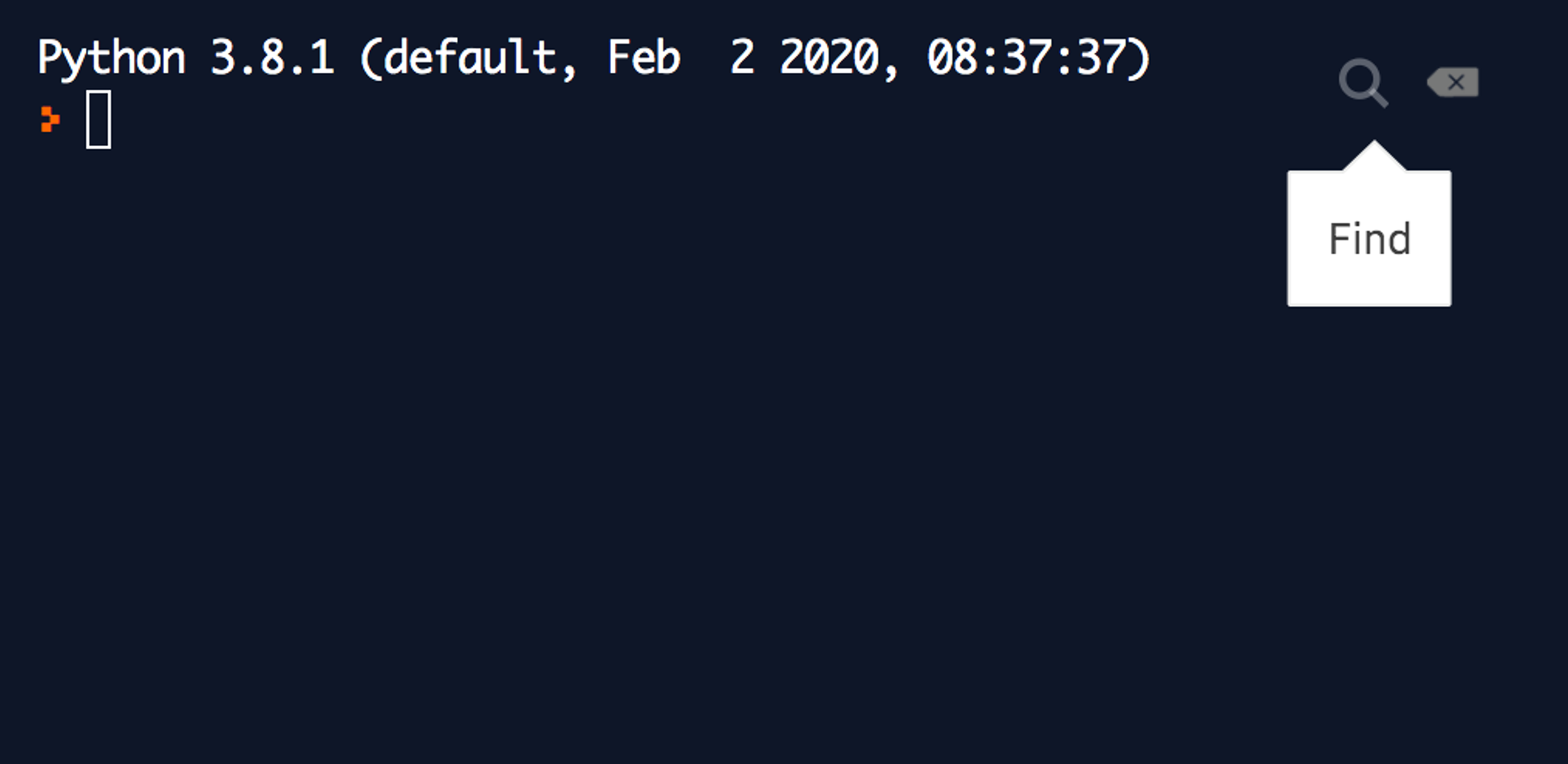
When you're deep into a debugging session printing a bunch of here, there, and wat, the output in the terminal can get hard to read. That's when search comes in handy, and that's why we're excited to announce our new terminal search functionality. You can get to it via the small search icon on the top-right corner of the terminal: And here it is in real-life action from one of a recent debugging session:
 Tue, Mar 24, 2020
Packaging Support for Java - Try Maven Packages in Your Browser
Java is one of the most popular languages on Repl.it, and the JVM powers many of our other languages (Java Swing, Clojure, Kotlin). We want to make it as easy as possible to code with other people and build new programs out of programs that already exist. So we've added packaging support for Java! The Universal Package Manager now understands how to add and remove Java packages using Maven. It also can search the Maven central repository for packages. If you'd like to get familiar with the Java ecosystem, I highly recommend Andreas Kull's Awesome Java list. It was while scrolling through this list that I found Yasser Ganjisaffar 's crawler4j, a web-crawling library. Building something with Java + Packages To show you how powerful Java Maven packages could be, we're going to build an app to pull down the most interesting Twitter threads. To start, I made a new Java repl, searched for crawler4j, selected the edu.uci.ics:crawler4j package, added it, copy-pasted the quickstart example in crawler4j's README, and clicked "run." It started crawling the UCI computer science home page. That's not quite what I wanted, so I pointed the crawler at the Threader front page, to see if I could pull down some interesting Twitter threads. Thanks to Yasser's well-documented examples I soon had a directory of popular threads.
- Thu, Mar 19, 2020
How to Conduct Remote Interviews
Remote interviews can be hard, especially if you’ve never done them before. With the COVID-19 crisis, we’re seeing a lot of teams forced to transition to remote interviewing. Luckily, we’ve done hundreds of remote phone screens, and more recently we’ve been doing what we’re calling “remote onsites.” In this post, we'll describe how we and some of our customers leverage Repl.it Multiplayer -- our realtime collaborative development environment -- and other tools to interview candidates remotely. The Phone Screen So much rides on programming interviews. When you're first starting as an interviewee, programming interviews can feel like a performance: you either meet or exceed the bar or you don't. That's much pressure! Teams who interview well do everything they can to put folks at ease so both sides can answer the question: are we excited to work together? At Repl.it, we want to make programming more accessible, which means making it more social, even casual. We introduced Multiplayer mode so that people can collaboratively work together on the same repl with realtime editing and running, which has been a substantial step-up from screen-sharing. Candidates can start coding in their preferred language in just a few seconds, and we can start writing tests right away in the same file. It often feels more like a collaboration session than an interview, which is an excellent sign.
- Fri, Mar 13, 2020
Teach Coding Remotely - free for public schools and 80% discount for everyone else
*Edit: As of March 2022, Teams for Education is free for all educators. You can gain access here. We've been hearing from our teacher community that despite school closings they want to continue teaching their students remotely. Luckily Repl.it was designed to be remote-first and will be a perfect tool for this. We have two products that serve different remote modes: Multiplayer Real-time collaboration. You can invite your entire class into a repl to follow along or even collaborate all together. To that end, we're increasing the number of free collaborators on the free plan to 50 users!
 Wed, Mar 4, 2020
CLUI: Building a Graphical Command Line
“Command line interfaces. Once that was all we had. Then they disappeared, replaced by what we thought was a great advance: GUIs. GUIs were - and still are - valuable, but they fail to scale to the demands of today's systems. So now command line interfaces are back again, hiding under the name of search. Now you see them, now you don't. Now you see them again. And they will get better and better with time: mark my words, that is my prediction for the future of interfaces.” [1] Don Norman wrote this in 2008. Since then, search has become more powerful and users have grown more dependent on it-- searching for information with context-aware autocomplete is present in almost every popular digital product. Traditional CLIs, however, were never widely adopted by end-users because of their learning curve. Terminals, the primary platform for command-lines, are intimidating and feel like a black box to non-technical people. Also, a text-only interface is limiting-- it only allows actions to take place through language instead of the clicks, taps, and hovers that we’re used to today. Commands and flags often have obscure names, and spelling mistakes can result in cryptic errors, or worse, doing something you didn't intend. Despite all these problems, CLIs are still powerful. The input mechanism is always the same: text. It’s predictable and constant. Adding more commands takes minimal effort from the developer. Users aren’t overwhelmed with information-- you just specify the exact commands you need at any given moment. These benefits, however, come with the tradeoff that commands must be memorized to be efficient. Today, GUIs are the most popular user interface paradigm because they address many of the concerns above. They use visual metaphors for everyday objects we are used to: desktops, windows, tabs, buttons, menus, files, and folders. They’re intuitive and offer a small learning curve to perform basic actions, like moving files via drag and drop. It’s faster to recognize an icon than to remember the action’s name. The benefits of GUIs are rooted in both memory recognition, which “...refers to our ability to “recognize” an event or piece of information as being familiar”, and memory recall, which “...designates the retrieval of related details from memory.” [4, 5] So GUIs are obviously the best UI paradigm ever, right? Probably not. Although GUIs might solve some core usability issues that most CLIs present, they "...fail to scale to the demands of today's systems" [2, 3]. The moment you want to add a feature to a GUI, there’s an immediate question about where to put that feature. Should it be in the top right? Bottom left? Nav bar? Behind a tab? In the sidebar? Revealed on hover?
- Wed, Sep 18, 2019
Making Repl.it Collaborative at Heart
Coding, people believed, was an activity hackers did alone. While that might have been true in the past, the world is changing. New programmers come online every day and they want to effortlessly work and interact with others while writing code. Yet collaborative coding environments have remained troublesome to setup. Last year we launched Multiplayer, our real-time collaborative system, in beta. We’ve learned a lot since then. We’ve learned that while real-time coding is useful and fun, asynchronous collaboration is important for users working on long-term projects (which people are increasingly doing on Repl.it). We’ve learned that Multiplayer needs to be a core feature of the product -- not something you “turn on.” This meant a redesign of our core protocol and infrastructure to make it collaborative at heart. Repl.it is now natively Multiplayer: Collaborators can code together at the same time or asynchronously, real time editing is more robust, and every IDE feature works seamlessly in a collaborative setting. Protocol Changes & Operational Transformation The major challenge in making Repl.it collaborative at heart was adapting all our existing functionality to work seamlessly in a multiplayer environment. For a very long time we’ve gotten away with keeping the protocol very simple. Modeled after the Read-Eval-Print-Loop with a strict state machine. Only one action could be processed at a time and had to run to completion.
- Wed, Mar 20, 2019
Repl.it GFX: Native graphics development in the browser
At Repl.it we live and breathe making software creation easier. With our programming environment, you could start coding in your favorite language in seconds. With live deployments, we made web hosting a breeze. With Multiplayer, we've removed the drudgery from coding with friends. And today, we're excited to bring native GUI applications and game development to the browser. Before we go on, you have to see this in action: Just run the repl below, wait a few seconds for it to load, focus on the output window and start playing Tetris in Pygame: Let's take it up a notch and boot up this nifty desktop app we all love (might take up to a minute to load but then can be done recursively):
- Thu, Dec 6, 2018
Repl.it Multiplayer
Today we're announcing the most-significant evolution of our platform — something we've been building towards for a long time that we're thrilled to share with you. Introducing Multiplayer: code with friends in the same editor, execute programs in the same interpreter, interact with the same terminal, chat in the IDE, edit files and share the same system resources, and ship applications from the same interface! We've redesigned every part of our infrastructure to work in multiplayer mode -- from the filesystem to the interpreter. This works with all the languages that work on Repl.it. All free and ready for you to use right now. All you have to do is login, create a repl, start a Multiplayer session, give a link to your friends, wait for them to join, and start hacking! We started beta-testing Multiplayer last month. And while we think we're merely scratching the surface in terms of what can be done with it, a walkthrough of some of the emergent use-cases will give you an idea of how it works and how you can use it at your work, school, or for your side-project: Help
- Mon, Oct 22, 2018
Repl.it raises $4.5M, announces a million users
We're thrilled to announce that we have raised a Seed round led by Andreessen Horowitz, with Marc Andreessen and Andrew Chen championing the deal. We're also sharing that a million users are now using Repl.it. Moreover, our developers have shipped 250,000 websites/apps since our hosting platform launch in March. Checkout our Soundcloud for our latest album We started Repl.it as a side project with the straightforward goal of making it easy to get a REPL for your favorite language when you need one. Coding, we believed, should be as simple as opening a new browser tab. How Repl.it looked a few years ago
- Tue, Oct 16, 2018
File Switcher
A few days ago we shipped a simple feature that will save our users time in finding and opening files, especially for larger projects. This can even be used without having the file tree visible. Read on to see how to use it and to see a demonstration. If you've used offline IDE's before then you're probably familiar with this feature. To bring up the file switcher you can hit ctrl + P (cmd for mac), incase you're wondering why we chose that binding, it's cause it's the default for most modern editors. I'm actually interested in the history behind this feature, who started it, and why in the world did they pick ctrl + P (maybe it was meant for command pallete?), if you know you can reach out to me on twitter @masad-frost. Once you're in the file switcher you can type your file name or full path and it will show you your file, it also supports fuzzy string matching, so can just type part of the file you're looking for and it should show up.
- Tue, Sep 25, 2018
Rejected Then Recruited: Our Journey into Y Combinator
"The intoxicating delight of sudden understanding"1 best describes what I felt the first time I derived the Y Combinator (guided by the Little Schemer book). Learning Lisp (by way of Scheme) is how I first came about Paul Graham's essays. Which was, of course, a gateway drug to startups. Since then, Y Combinator (the company) has touched my life in so many ways. Jessica Livingston's book Founders at Work demystified startups and humanized founders for me -- suddenly starting a Silicon Valley startup seemed more approachable. My first job at a startup in the U.S was at Codecademy, a YC company, where I joined right after they graduated the summer 2011 program. And Hacker News has been daily reading for me for years; it's where I get exposed to new ideas and technologies and where I get feedback and exposure on my projects. Naturally, when I was thinking about taking the leap to start a startup, YC was top of mind. So I applied to open office hours to get feedback and see if our idea was something they'd back. Unfortunately, that particular meeting didn't go very well. The YC partner I met had the feedback that an online REPL is not really a startup -- it's just a fun toy -- and that instead, I should join another company building a superficially similar technology. But I've been waiting for someone to start this startup for years -- a website where people can not only learn how to code but can also build, collaborate with others, and ship software. In 2016 nobody seemed to be coming close to creating this. Unfazed, my cofounder Haya, who's a designer and also my wife, and I decided to quit our jobs and pursue the startup. We allocated $20k to help get it off the ground while we find a revenue model or until we raise money. We worked out of our home in Foster City and was able to monetize the service early-on by selling our code evaluation infrastructure as an API. However, the free service was always growing faster than our revenue, and it didn't seem like we were going to break even on this business model. I didn't think we would be able to raise money. In early 2016, some of my founder friends were struggling to raise capital, and I thought we'd fare no better since our startup is at the intersection of two industries -- devtools and edtech -- that have comparatively yielded minimal returns to VCs. Fortunately, someone took a chance on us. Roy Bahat, who heads up Bloomberg Beta, and whom I've met during my time at Codecademy decided to back us. With their stamp of approval, we were able to raise a comfortable seed round (or what's now probably called a pre-seed round). Around the same time, we got our first YC application rejection.
 Thu, Jul 19, 2018
Universal Package Manager
Open-source has revolutionized software development -- it wouldn't be an overstatement to say that it's been the most significant productivity win for developers in the last decade or so. At Repl.it, our goal is to make programming more accessible and what better way to do that than make available to programmers the entirety of open-source packages available at their fingertips. Today we're excited to announce our Universal Package Manager -- the Repl.it package manager that will grow to support every language on our platform. We're now starting with JavaScript, Python, HTML/CSS/JS, and the web frameworks that we support. We've had basic support for automatic package detection and installation for a while now, but what changed is that we support search and spec files (package.json, gemfile, requirements.txt, etc) across the board. Furthermore, where we used to write custom code for every language that we support, now we merely add fields to a config file. This was mad possible by creating a common package manager runner abstractions. Adding package manager support for a language is as easy as adding a couple of fields in a JSON config: In addition to this we have a more ambitious project in the works to build the same package manager that works across all languages (with the same semantics). You should come work with us.
- Sun, Jul 1, 2018
Zero Setup VSCode Intelligence
At Repl.it our goal is to provide state of the art in developer tools to everyone in the world, for free. When we started moving our product beyond a simple REPL and started adding IDE features, we had to invent standards and wrappers around every language tool for our frontend to consume. For every editor feature, say errors and warnings (linting), we had to extend our development protocol with a set of commands and data structures, and then teach our development containers how to wrap the given tool, say Pylint, and our frontend on how to consume it (say annotate the editor with errors and warnings). A similar thing has been happening with IDEs for the past few decades -- every editor had to come up with their in-house ad-hoc protocol, and every tool developer had to build adapters and wrappers for editors to consume. However, this is about to change: a couple of years ago, Microsoft's VS Code team announced "A Common Protocol for Languages", a single all-encompassing protocol that provides general-purpose language tooling -- be it refactoring, code-completion, or errors and warnings -- all implemented once and then seamlessly plugged into any editor that understands this protocol — this was dubbed the "Language Server Protocol" (LSP). In addition to LSP, VS Code also open-sourced the editor that powers VS Code: Monaco. Monaco is an editor built with web technologies, and since we started looking at LSP a few months ago, it only made sense for us to transition to Monaco first. Even before the introduction of LSP on Repl.it, Monaco allowed us to provide some cool language features (Smart Autocomplete, Go to Definition, Find References) for TypeScript and JavaScript because they're bundled with the editor. On top of that, the editor has a slick feel to it. In this release, we're rolling out language servers for Python (2, 3 and Django), C, C++, and ReasonML. And soon we'll be adding support for more languages -- Java and Ruby are looking to be next in line. Let's run through some of the features: Autocomplete and signatures
- Wed, Jun 13, 2018
React Framework Preboot
Two days ago we introduced our beta support for React frameworks, ranging from static-site generators like GatsbyJS, to fullstack frameworks like Next.js. Today we're launching a significant performance enhancement that we're calling preboot. Whenever you land on a repl, you get a container to develop against. Our containers are generic and work for any language/framework. When you land on a React framework, you had to hit "run" to start the server (it basically sends a yarn develop or similar to the container) . The container manager will then detect an open port, send an event to the IDE, which will show you a webview (speeded up gif below) -- afterward, you're on your way building your app. However, this kind of experience is suboptimal because it's slow. We pride ourselves on setting up the development environment within 2 seconds of selecting a language/framework so, naturally, we need to do better. Luckily, we have previously implemented a pooling mechanism on our infrastructure so that containers are ready and hot when you need them. What was missing from that is custom "boot" command that gets the container really hot, listening on a port, and ready to start serving. So now, when you land on a React framework environment, we grab a container for you that's already running -- your repl IDE will simply attach to it. Take a look: