 Tue, Jan 18, 2022
Use Replit At Work With Teams Pro
For the past 6 months, we have been testing Teams Pro while in private beta. Today, we are excited to release it to the world. Teams Pro is Replit for work. If your company wants to have a collaborative repository for sharing and editing code, create a team now. Here's what some of our users are doing: Host slack bots, cron jobs, web scrapers, scripts, webpages, and more
 Tue, Dec 14, 2021
Repl Space and Templates
When we want to support a new technology, we're faced with the question: "Do we (the Replit team) build this capability into the Replit directly, or can our users add it themselves?". Usually, we want the answer to be the latter. Repls are like personal computers for your projects. And the more these personal computers can be customized, the more they'll be used in creative, unexpected ways. Internally, we refer to the extent to which a Repl can be configured as "Repl Space". So when we talk about building new features, we always ask "can it be done in Repl Space?", which is basically asking if we can build it on Replit. Over the past year, Repl Space has become significantly more powerful, and soon, Replit will be one of the most flexible computing platforms on the planet without compromising its simplicity. Now that we have the technical foundations in place, we're excited to bring more of that power into the product in the form of Templates and some new configuration options. Templates Where can I find templates?
 Thu, Nov 11, 2021
Announcing File Persistence in Hosted Apps for Hackers
We mostly think of repls as being full computers in the cloud, and one of the goals of the platform team at Replit is to enable people to build almost anything in replspace. In the past, when a file was stored in a repl, it would only be saved when the editor was opened. This went against our goal and made it impossible to write certain servers that changed files at runtime. This was especially hard for newcomers, because that's the easiest way to persist information. Starting today, Hacker and Teams subscribers will be able to write services that accept file uploads or store data in a local database (think SQLite) or text file, regardless of how the repl was started. A demo of what it looks like for a server to be able to save its files: https://sqlite.luisreplit.repl.co What is replspace? replspace is a term we coined up. In operating systems, memory is divided into kernel space and user space. Kernel space is where the kernel executes and provides its services. The kernel can access all of the memory, but the user cannot access the kernel's memory directly. By contrast, user space is all the memory that a user can access without modifying the kernel sources (or creating a kernel module). The term user space has also been used to refer to the programs that are run by users. This memory separation is important because the kernel manages all hardware resources, providing access control and coordination, and provides abstractions that let programs that run in user space make requests to interact with those resources. The kernel has several interfaces so that the user space programs can communicate with the kernel, the most important one being the system call interface. These use the abstractions laid out by the kernel to ensure that users and programs don't interfere with each other and also iron out differences in the underlying hardware and provide a uniform "view" of the resources available to the machine.
 Sun, Oct 24, 2021
Betting on Nix: donating $25K to the NixOS Foundation
As building software grows more like snapping Legos together, how people find and use those Legos becomes more important. That's why we are donating $25,000 to the NixOS Foundation and betting on Nix as the future of software distribution. In software, the Lego pieces are called packages. A package may be some code your program needs to call (a library) or another program your code needs to run. Historically, people have used package managers to find and install packages into their projects. Each language ecosystem has its own package manager. Replit built and open-sourced the Universal Package Manager to unify this fragmented landscape. Package managers are a holdover from the old model of programming, when development environments lived on personal computers. Now that development environments (ahem, repls) can run entirely in the cloud, fetching packages from a central server, unzipping them, and installing them into a filesystem seems shockingly archaic. The future is instant. When you press the run button in a repl, your code should run immediately, not pause to fetch packages. The Nix project unlocks instant repl runs. Nix uses content-addressable storage for its packages. If you know which package you want to use, you can compute its location on the filesystem without having to search a central repository. Which means we can put every single package on a fast disk in the cloud and skip the fetch-unzip-install cycle. When you press run, your program can instantly access all the packages it needs on a drive already mounted into the repl. The future is reproducible. What does that mean? If your repl works today, it should also work the next time you go to run it.
 Wed, Oct 13, 2021
Solidity on Replit: Diving into Web3
Today, we're announcing our official Solidity development template. Solidity is the language used to create smart contracts, which are programs that run on the Ethereum blockchain. This is important for the Web3 commmunity because there's finally an accessible and collaborative way to learn Solidity, which will unlock thousands of new developers in the decentralized web. You can try it out by creating a new Repl and typing solidity in the search bar. Or, go directly to the template page to fork it or leave feedback. :) Why this matters Lowering barriers to entry is core to Replit. Everything we do is intended to make software creation easier, faster, and more fun. So when new infrastructure and communities (like Ethereum) gain momentum, it's our responsibility to help people create for that new technological universe. So, why not try to build the best blockchain development experience in the world? Replit has a unique advantage here. Among other "web-based IDEs", Replit is a true general purpose computing environment. Every Repl you create is actually a Linux container, meaning everything we build sits on top of a fully functioning operating system. This gives us the flexibility to build basically anything we want. Almost any program or environment you can create locally, we can transform into a URL.
 Mon, Sep 27, 2021
Replit + Codex - Beta Release
Update: To stay up to date on Replit and AI, check out our Ghostwriter Beta & AI mode announcement. In it we discuss how we infused state-of-the-art intelligence into nearly all IDE features as well as the future of AI on Replit. At Replit, one of our fundamental goals is to make programming easier. When we got a first glimpse at OpenAI's new Codex model, our instinct was to think of how it could help people understand programs better—especially beginners. We've tested ideas before that used OpenAI's more general model, GPT-3, to ask questions about code. Amjad wrote about some of these explorations on our blog last year.
 Mon, Sep 20, 2021
A New Code Editor for Mobile - CodeMirror 6
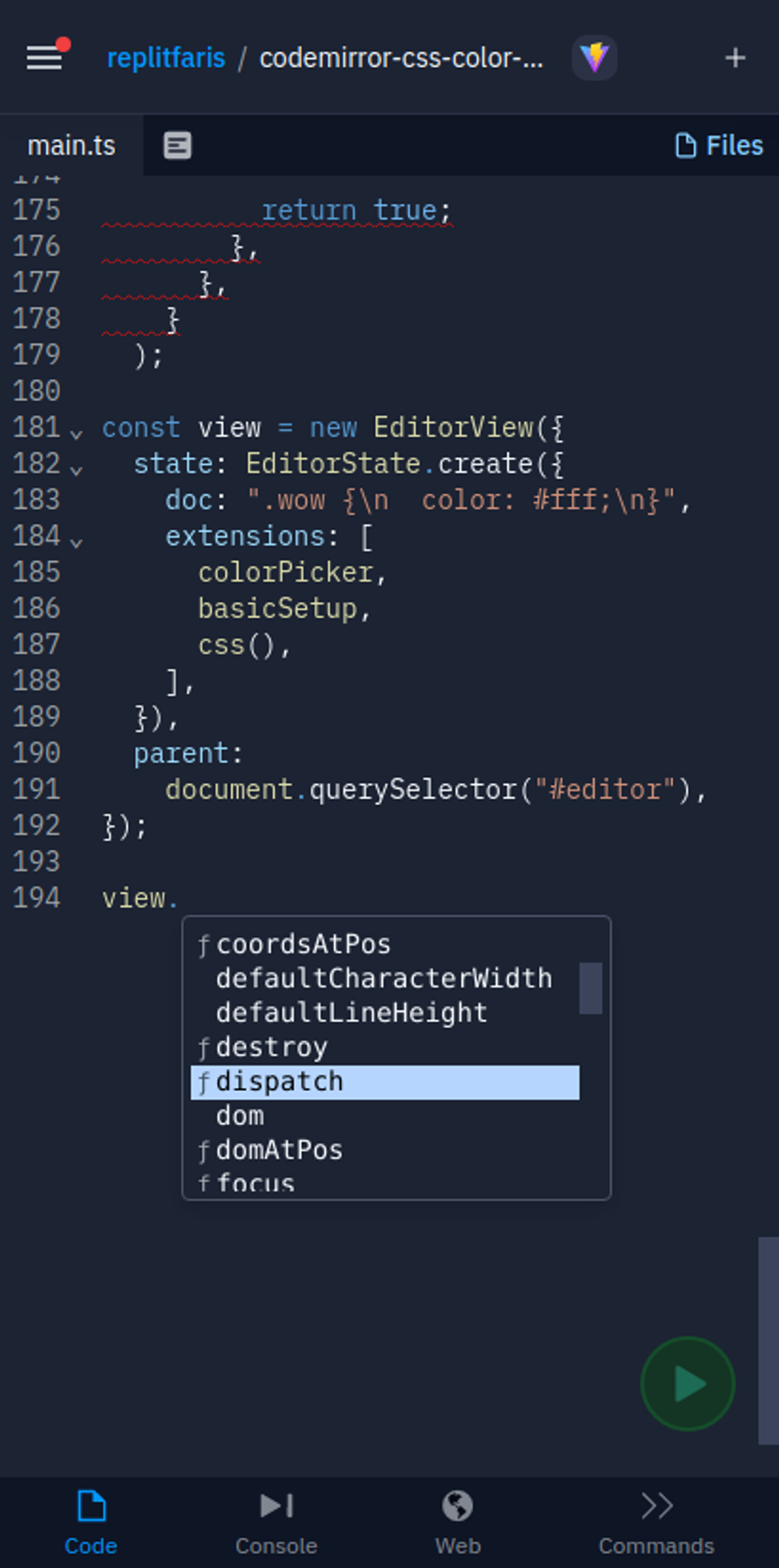
Today, we are thrilled to announce CodeMirror as the new code editor on Replit for mobile devices. CodeMirror is a versatile code editor that has been specifically designed with mobile in mind, providing an excellent touchscreen experience. This change is the beginning of a focused effort on mobile development here at Replit; the editor is just the first step! The editor supports all the features you expect from a code editor, and we're working on making it even more powerful. We hope this update will be helpful for those of you who do not have access to a computer but still want to learn and create cool things. We are also working on bringing CodeMirror to the desktop to provide a consistent experience no matter what device you or your multiplayer partners are on. We will see many of the features that we currently have only on the desktop ported to mobile in the process. Keep an eye out for threads, debugger, and more on mobile. Watch this blog for a follow-up technical post on our experience with the editors of the web: Monaco, Ace, and CodeMirror. We've got a lot planned for mobile, we are so excited, and we hope you are too!
 Wed, Sep 8, 2021
New Kaboom Workspace
We made a better kaboom workspace on replit.
 Thu, Jul 8, 2021
Building the future of collaborative coding
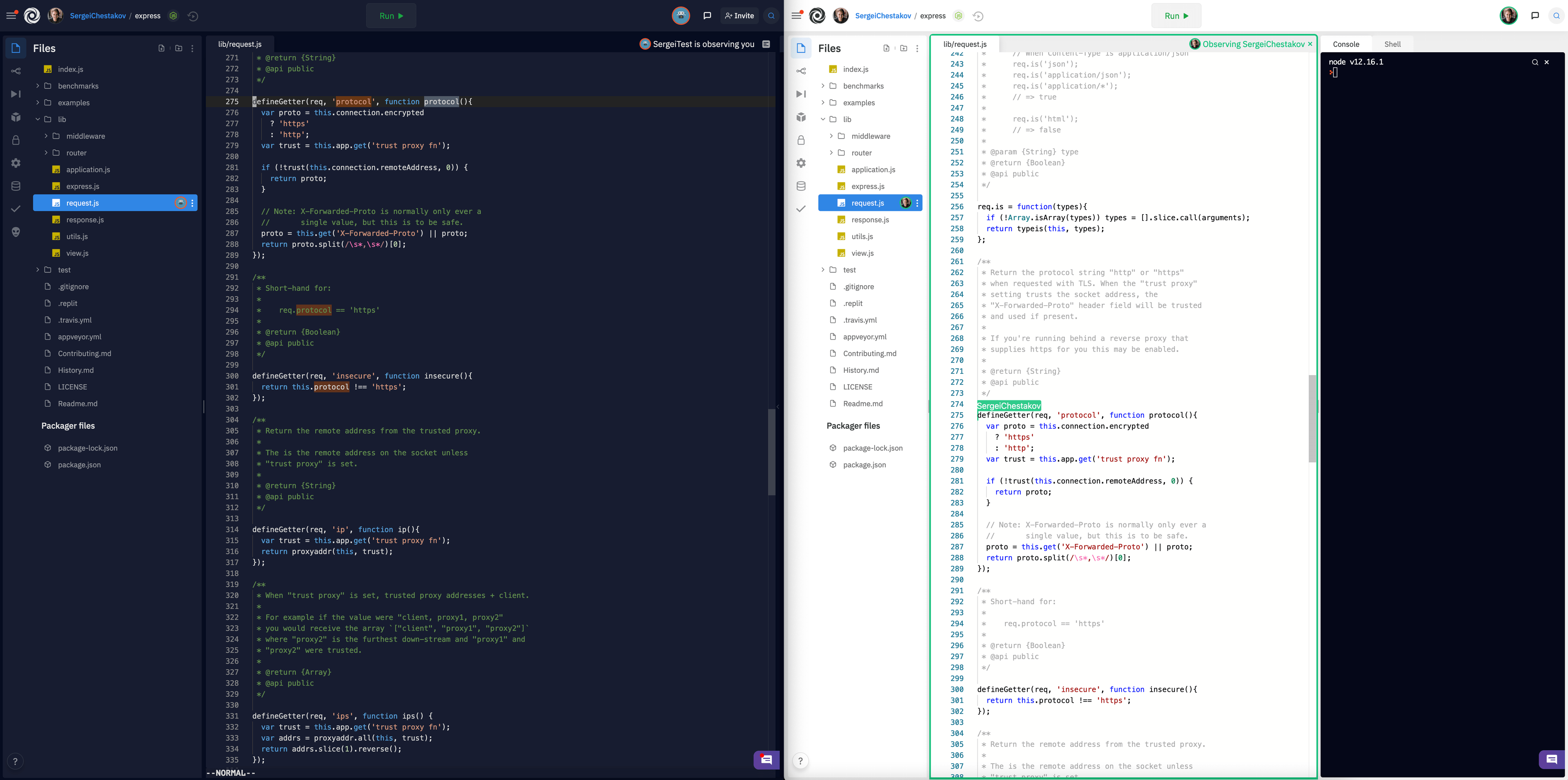
One of the most powerful aspects of Replit is the ability to collaborate with friends and peers in real time. When we first added support for multiplayer, we set out to make it as easy as possible to code with others. Since then, collaboration has become an integral part of our product with the release of features like threads and draw. By continuing to improve the multiplayer experience on Replit, our goal is to dispel the myth that programming is a lonely activity. Instead, we aim to remove the barriers that impede the learning, creativity, and fun that collaboration often fosters. This is why we're excited to announce two new features that make collaborating on Replit even easier: Observation Mode and Filetree Presence! Observation Mode Oftentimes, when you're coding with someone, you might want to follow their progress more closely. Whether you're teaching a class, hacking with friends, or leading an interview, it can be useful to zoom in on a collaborator's activity to see what they're working on. Previously, you might have done this by hopping on a video call and sharing your screen, but that can be overkill in many scenarios. Luckily, there's now an even easier approach built right into Replit called Observation Mode! To start observing someone, simply click on their avatar in the header. If you're in a larger session (4+ people) and you don't see their avatar, you can click on the more users button and find them there like so:
 Fri, Jul 2, 2021
Multiplayer Debugging Experience for Python, Node.js, Java, and C/C++
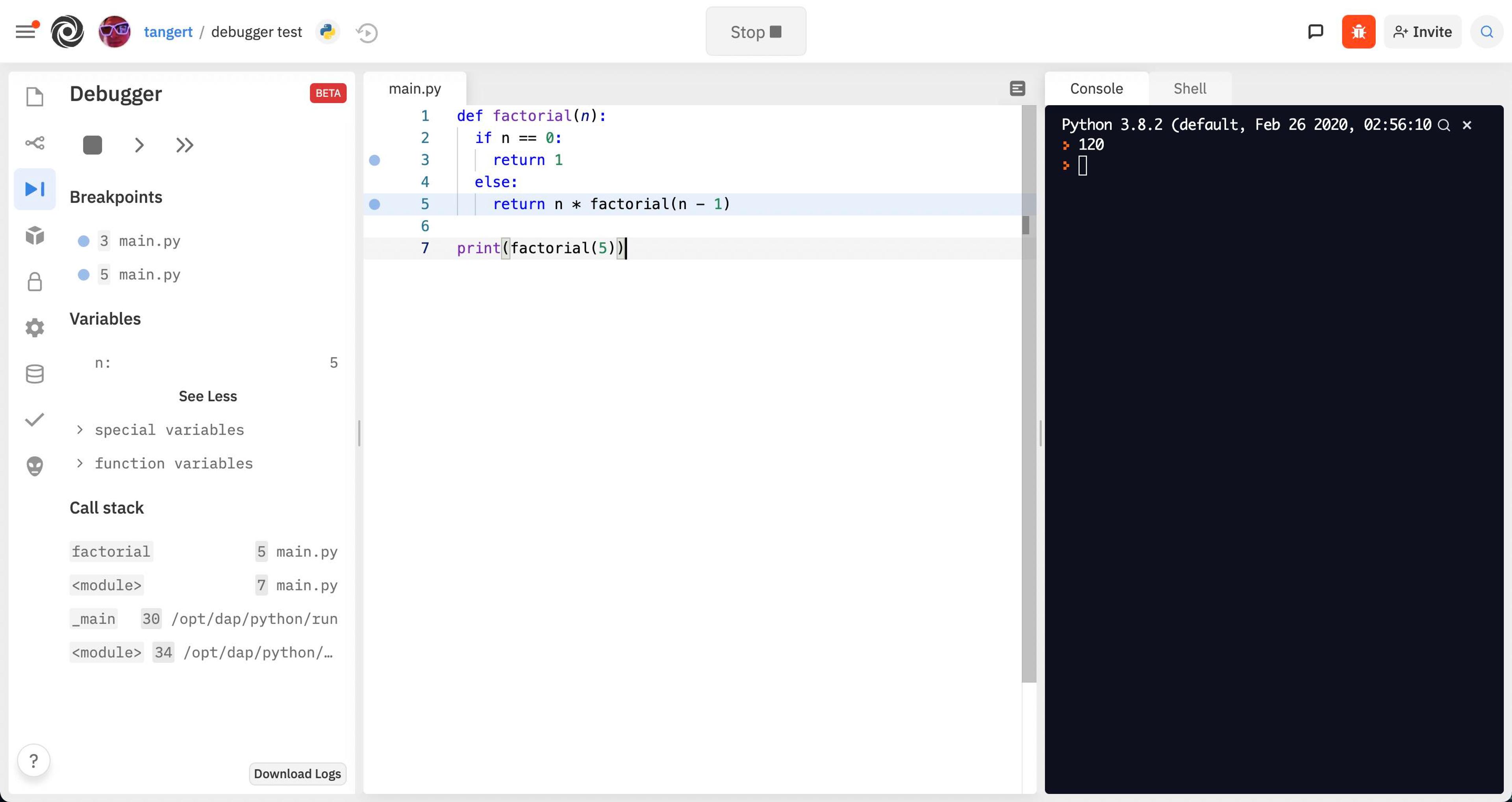
A couple of months ago, we announced our intention to create a new collaborative program comprehension experience for your repls. This project isn't just about figuring out what's wrong with your code, but really understanding what's going on, together with the people you work with. Today, we are happy to announce that we're releasing the first phase of this experience: a Replit-native, zero-configuration, multiplayer-friendly, interactive debugger for C, C++, Node.js, Python, and Java repls! Our main goal is to make it easier to understand what your code is doing, and why. Up until now, if your code wasn't working correctly, it was only possible to find the root cause by (brace yourselves) stopping the program, optimistically adding log statements around the suspicious areas, running again, and repeating that process hoping that printing out variables will reveal enough to figure out what's wrong (also known as printf() debugging). printf() debugging is a tool that's very easy to start with, but it gets tedious and unpredictable in the long run. Every time the code is changed to add a new log statement, new bugs may be introduced by accident (see Heisenbugs). Even though we firmly believe that the ultimate goal is to enable time-travel debugging for everyone (which prevents having to restart the debugging session if you accidentally skip the line you wanted to check!), having an interactive debugger available is still going to be useful for a lot of people. What has changed today? Now, repls for all the supported languages listed earlier will let you pause the execution of the program (breakpoints) and inspect program state (the values of variables) while the program is paused. No configuration needed, and no need for print statements to inspect the state of the program!
 Tue, Apr 27, 2021
Why We Switched From Webpack To Vite
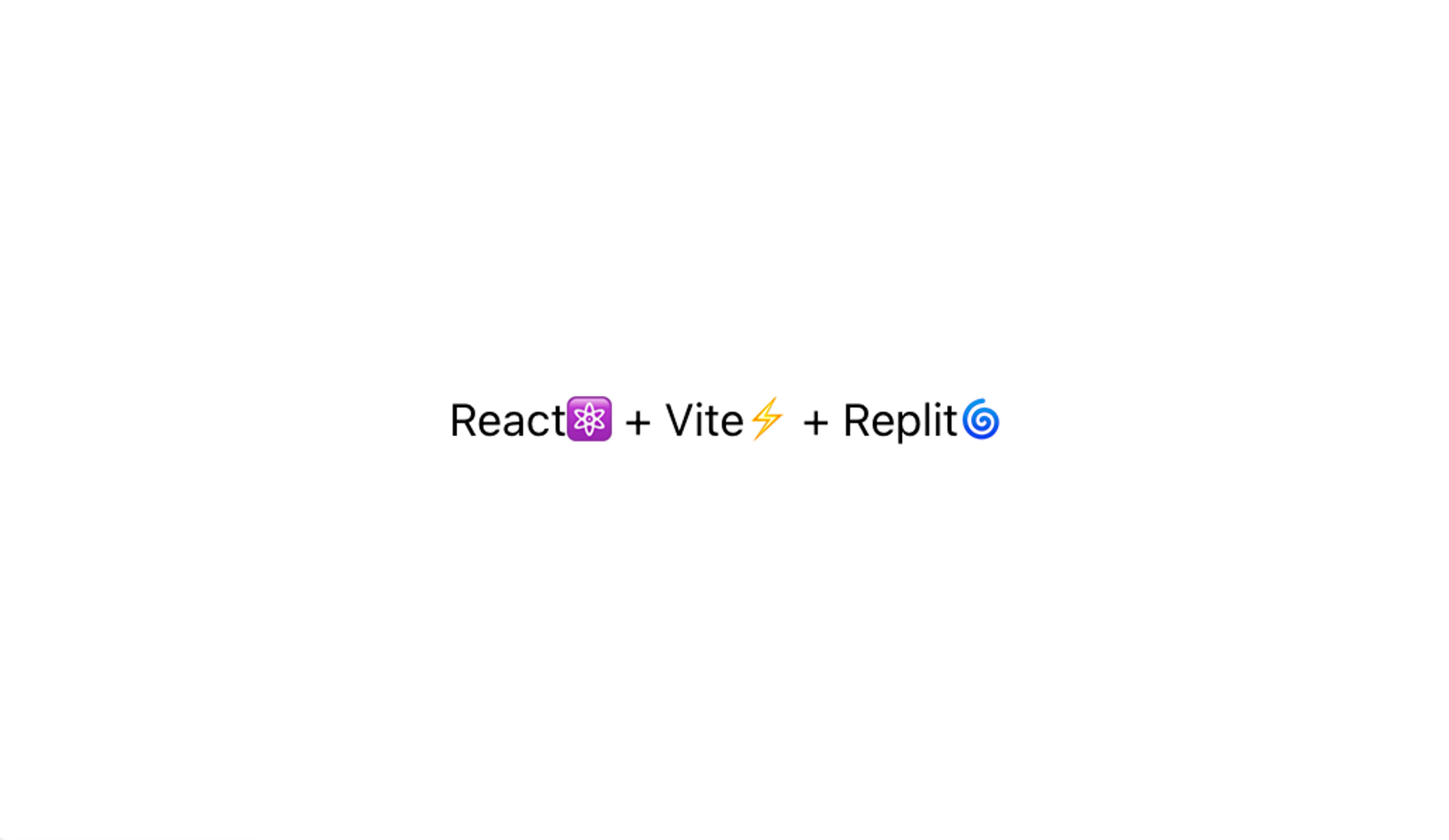
At Replit, our mission is to make programming more accessible. We provide people with free compute in the cloud so that they can build apps on any device. Among the most popular ways to create apps on the web today is React. Historically, however, React tooling has been slow on Replit. While the JavaScript ecosystem has produced excellent tools for professional developers, many of the most popular ones, like Create React App and Webpack, have become increasingly complex and inefficient. Fortunately, we've seen the JavaScript community recognize this problem and move to build faster and more efficient tooling, which means we can finally deliver the experience our users expect from us. This new experience is powered by Vite, a JavaScript build tool that provides a fast and lean development experience. Vite comes with a number of features including HMR, or Hot Module Replacement, a build command that bundles your tools with Rollup, and built-in support for TypeScript and JSX. Vite makes React dev fast. Like really fast. With HMR, changes you make trigger rerenders within milliseconds which makes prototyping UIs really quick. With that in mind, we decided to rewrite our React template using Vite and we were shocked to see just how much faster it was. Here's what it looks like next to our old CRA template:
- Fri, Apr 23, 2021
Debug, Debugger, Debuggest!—A new Collaborative Comprehension Experience
Earlier this year, we decided to close the #1 most requested entry in our Canny board, which requested to improve our previous debugger so that it could also work with multiple files in a project. This was done because it became very clear that there is a need to have better tools to aid with program comprehension built directly into Replit. But we also realized that we could go even further. Even though most of our users could be happy with a traditional debugger experience, our mission is to give people computer superpowers! So today we are announcing that we are working on a new, reimagined, collaborative debugging experience (or maybe we should call it a "program comprehension experience?"). We plan to tackle this problem from two fronts: the first one is that interactive debugging is very limiting and potentially frustrating, in the sense that it only exposes the state of the program at a single point in time. There are ways to make the program state advance, but if it advances too much, there's no going back, and the program needs to be restarted from the beginning and be placed in the same state again. This process is stressful enough that one very commonly-used alternative is to manually instrument the code to add tracing (also derogatively referred to as printf() debugging). Logging/tracing definitely has its merits and is a good practice to do overall, but it's not ideal to have to rebuild the program and re-run it just to know what it's doing. What's your theory for why programmers reach for printf-debugging more frequently than other modes (like step-debugging)? — Amjad Masad ⠕ (@amasad) April 9, 2021 All of these problems are the reason why we want to provide a time-travel debugging experience for our most popular languages, which should make the whole process a lot less stressful. The best thing is that we plan to make this such that there will be very little setup needed, other than enabling debugging on your repl! The second problem that we want to attack is that whatever we do, it must integrate well with the Replit editor, and that includes features that are mostly unique to it: collaborative code editing. This means that the debugger will also have a way for a group of people to be in this debugging experience at the same time, collaborating in understanding what the code is doing, and why it is doing so. We still have some open questions about what this is going to look like, and the kinds of problems that you are trying to solve, so we are going to reach out to some of you for interviews to gather a better understanding and design tools that will work great for everybody. Because Replit today is the editor of choice for so many people at the start of their programming journey, if we're successful, we will expand access to debugging tools and increase mindshare and hopefully get the next generation of programmers using advanced debugging techniques. In a sense, this is going to bring us several steps closer to achieving the dream of learnable programming!
 Thu, Apr 22, 2021
A whiteboard for every repl
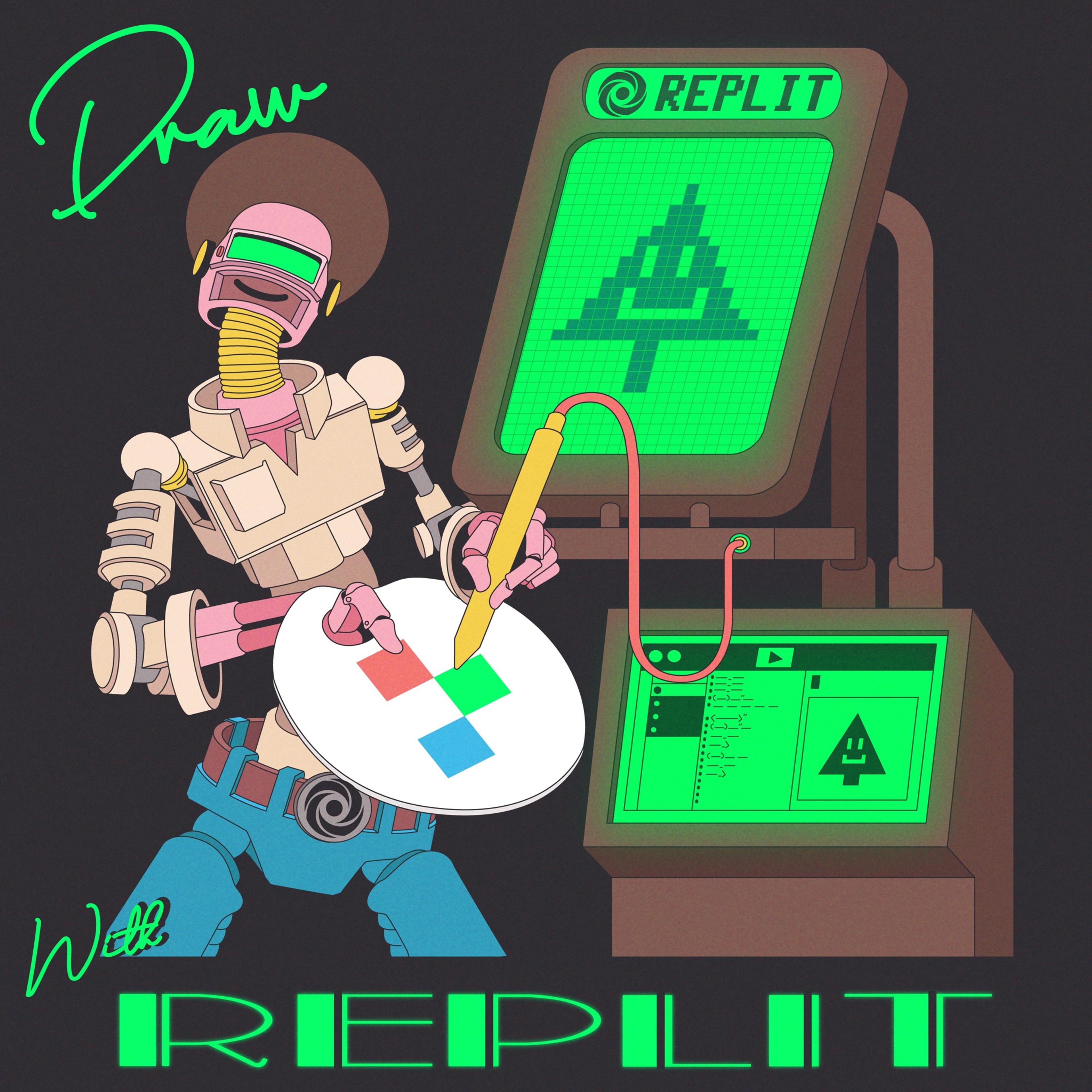
Replit is a place where beginners, educators, and professionals alike can code and share their ideas collaboratively. Something that goes hand and hand with your source code is how you communicate it. We built threads, which allow you to leave contextual messages around code, and added better markdown support for READMEs and other guides. However, we were missing a visual way for people to explain and collaborate around code. Today we're excited to announce support for draw files, powered by excalidraw! Any new file with the .draw extension will become a whiteboard to sketch shapes, draw freely, and add text. These files are multiplayer by default, anyone who joins your repl will be able to sketch and diagram along with you. During this period of remote collaboration, we've used draw files to sketch out problems with candidates during interviews, to diagram how our internal systems work, and to quickly prototype user flows. How it works Thanks to the awesome open source excalidraw project, we were able to combine their library with our infrastructure to treat .draw files just like any other file in your repl. We use the same file structure under the hood, which makes importing from excalidraw a breeze (just save your work on excalidraw.com with a .draw extension and upload it to Replit).
 Sun, Apr 18, 2021
Announcing Secrets Management
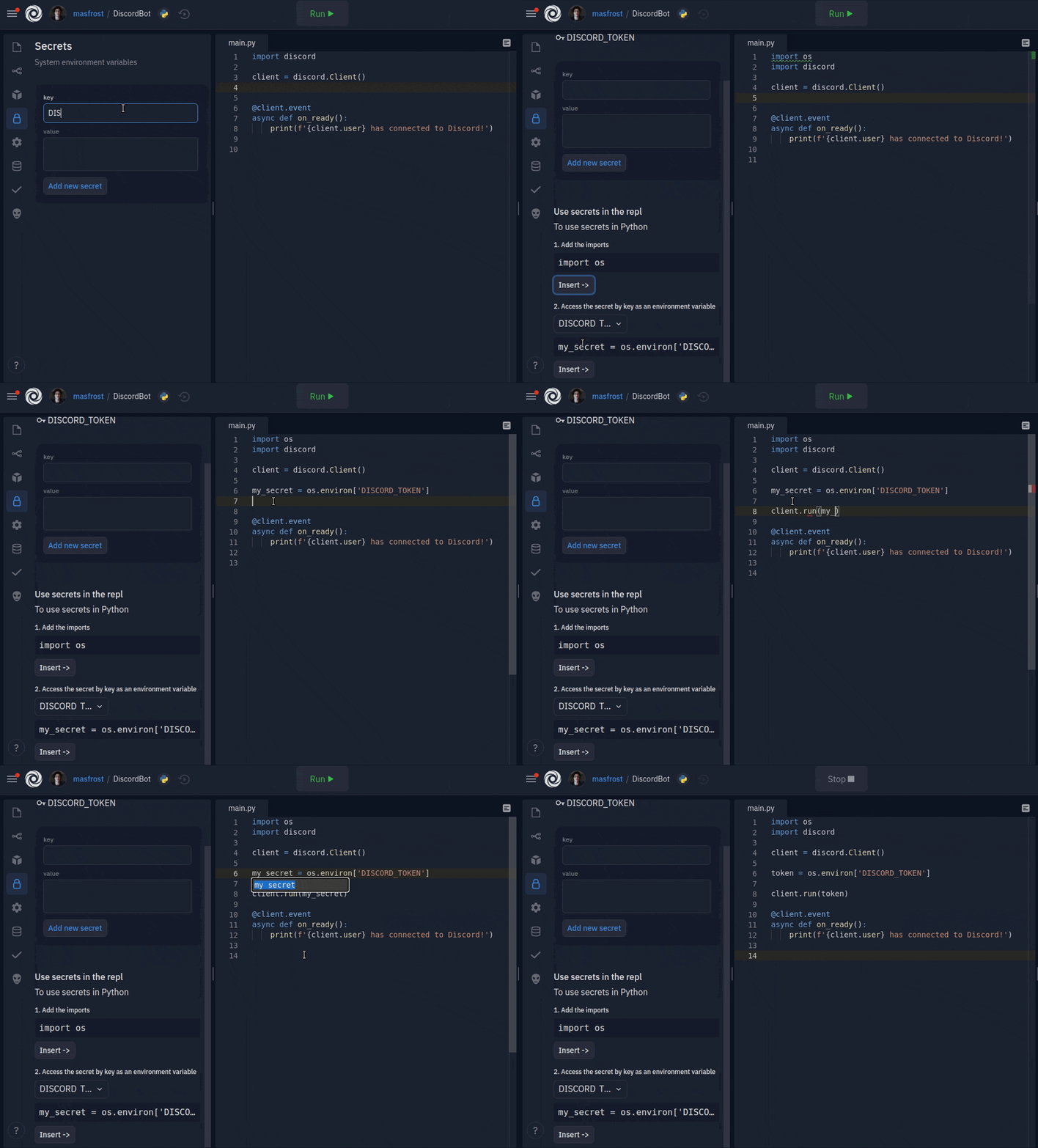
Replit is the go-to place for a lot of people to build their applications. People build chatbots, web applications, games, and so much more. Naturally, projects like this need to maintain sensitive information (secrets). Today we're announcing a new and improved way to manage secrets. To give you an idea of how and when this is useful, let me give you some examples. To build a Discord chatbot, the programmer would have acquired a Discord API key. If the key is exposed, then anyone can come along and send messages as the bot. Before we gave a database for every repl, applications would use an external database with access credentials stored somewhere in the code. Exposing the database connection credentials is disastrous for obvious reasons. When someone builds a web application with authentication (users), the server signs cookies with a cryptographic key, ensuring that the visitors are who they say they are. Stay tuned for an announcement for a Replit authentication system, so you don't have to worry about signing cookies either. Traditionally, people purchased the hacker plan to make their repls private and keep their secrets secure. However, that meant hiding the repl and the code from the world. People wanted to also share their repls with the community. Code sharing allows our community members to get feedback, teach each other, gain customer trust, and get all the goodness that comes with open source. For this reason, in 2019, we introduced the first iteration of the secrets feature to Replit, the dotenv file (".env"). The file followed a line-based key="secret" format, which was consumed as environment variables in the code, only exposing the "key" part and keeping the secret safe. Dotenv served its purpose for our advanced users. They were able to use it to store data and configurations they want to hide. However, dotenv had many shortcomings. Unless people followed a Replit-specific tutorial or went scouring through our docs, the feature was undiscoverable. Beginners required an understanding of environment variables, and an empty free form file was overwhelming. The issues of dotenv even extended to the advanced users. The lack of a public standard for dotenv confused people when following external resources and tutorials. Another problem was that the dotenv file was not an actual file. Still, we communicated it as if it were. Some programmers would try to read it from the file system and be confused because it was not there. We did not write dotenv to the filesystem because forking relied on making a copy of the filesystem of a repl. It also gave us the flexibility of encrypting dotenv and taking other security measures to keep everyone's dotenv safe. It has become apparent to us that we needed a better solution. What made the most sense for us is to add a GUI that is easy to use for learners and keeps our advanced users productive.
- Thu, Apr 8, 2021
Introducing system audio
We know that games are an important part of our commitment to making programming more accessible, more creative, and more fun. Back in February when we announced a significant revamp to our graphics stack, we also promised that we would also provide system audio integration. That support is finally available today, as an opt-in feature. How to opt-in We are firm believers in the "Don't pay for what you don't use" philosophy. Since enabling system-wide audio is moderately expensive, resource-wise, it's better for this feature to be opt-in. In order to do so, all you need to do is create a secret called VNC_ENABLE_EXPERIMENTAL_AUDIO with a value of 1 and restart your repl by running kill 1 on the shell. Once that's done, a checkbox with headphones will appear in the lower right corner of the VNC output window: Due to restrictions in the browser security model, there needs to be an explicit user interaction when enabling the audio, which means that the checkbox needs to be manually toggled every time the repl is opened.