 Wed, Aug 26, 2020
CLUI Command bar and Search
One of the challenges of adding new functionality to any interface is balancing discoverability with visual clutter. We've written before about how a universal command bar can be a great way to expose features without overloading the UI with buttons. This pattern already works well for us in our mobile interface, so now we're bringing it to desktop! Here's a demo of what it looks like: The new command bar replaces our old shortcuts and file switcher modal. Just like before, you can use keyboard shortcuts (Cmd/Ctrl + P to switch files, Cmd/Ctrl + K to bring up all the options, etc) to interact with it. As we add more commands, power users will be able to have a keyboard centric experience while beginners can learn about features by exploring the different options. Among the new features introduced in the updated command bar is Search! Search indexes the contents of every file in your project (with the exception of hidden files such as node_modules and anything in your .gitignore) and allows you to see every instance of a query across every file in your repl. From there, you can scroll through the results, see which line and file they appear in, and select a result to navigate directly to that line in the code like so:
 Tue, Jul 28, 2020
Shareable Computing
This is a guest blogpost by GPT-3, the new AI software from OpenAI. We only gave it the title and "Repl.it" and it generated the following post for us For a while, I wondered why it's so hard to share code. Surely sharing webpages is easy, since you can link to them with a URL. But webpages are static. They're basically just text files. Their content never changes, so there's no reason to try to sync it. What changed my mind was the birth of "repl" programming. With repl, you type your program into a text box, press a button, and it runs immediately. A second text box shows its output. Repl turns programming into an activity like writing prose, in which you revise continuously, as many times as you like, and always with access to the latest version. I used to write my first drafts on paper, and then rewrite them in Word, or Google Docs. But repl turns code into the equivalent of a first draft. At first, repl was strictly for "quick-and-dirty" programming. But now that it's become popular, more and more people use it for serious coding. And repl is inherently more social than code sharing has ever been. Even if you're the only person in the world working on a particular program, you can invite your friends to code with you by sharing your repl, and anyone can see the source code.
 Sun, Jul 26, 2020
Emmet support
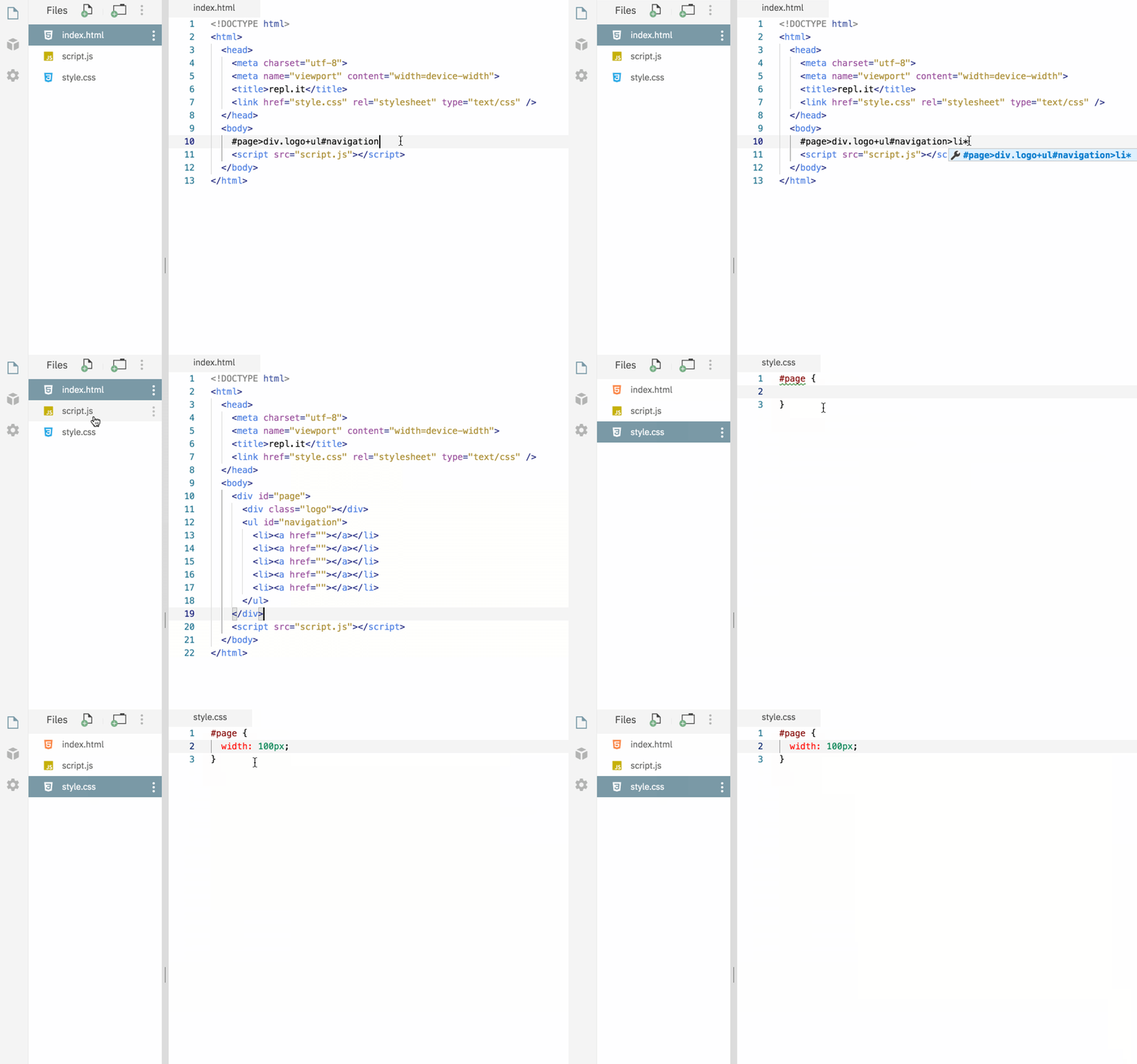
Emmet is a plugin for many popular text editors which greatly improves HTML & CSS workflow, it's also one that's been requested by many of our users. It works for both HTML and CSS and you can use emmet in any repl as long as you're editing an HTML or CSS file. Please check the Emmet docs to learn more about it, and give it a spin by starting a new HTML repl and let us know what you think.
- Wed, Jul 1, 2020
Multitabs
Repl.it is a great place for prototyping ideas and starting new projects. However as your projects get bigger, the editing experience starts feeling a little limited. That's why we're exciting to announce that we're adding support for tabs! With the new multitab layout, you can open files in new tabs so that you can quickly switch back to them later. There are a few ways of opening a file in a new tab: Ctrl + Click (or Cmd + Click on MacOS) the file in the filetree Drag the file from the filetree directly onto the header or onto an open tab in the header Right click on the file and hit "Open tab" in the menu
- Thu, May 21, 2020
Share where you are in a Repl with Deeplinking
Oftentimes when we're sharing a repl with a friend we want to link them to exactly where we are in our project. Well now you can with deeplinking! Deeplinking allows you to link to any file in your repl as well as specific lines and columns within that file. You may have noticed that the URL hash now changes as you navigate throughout the different files in your project. For example, if you're in src/index.js, it should look something like this: This means that all you have to do to link to the file that you're currently in is copy the URL! This also affects your browser history so if you hit the back button it'll take you to the last file you viewed rather than away from your repl entirely. If you want more granularity in your links, you can add :line or :line:col to the end of the URL. So linking to the 5th line and 12th column in src/index.js looks like this:
 Thu, Apr 30, 2020
Terminal Links
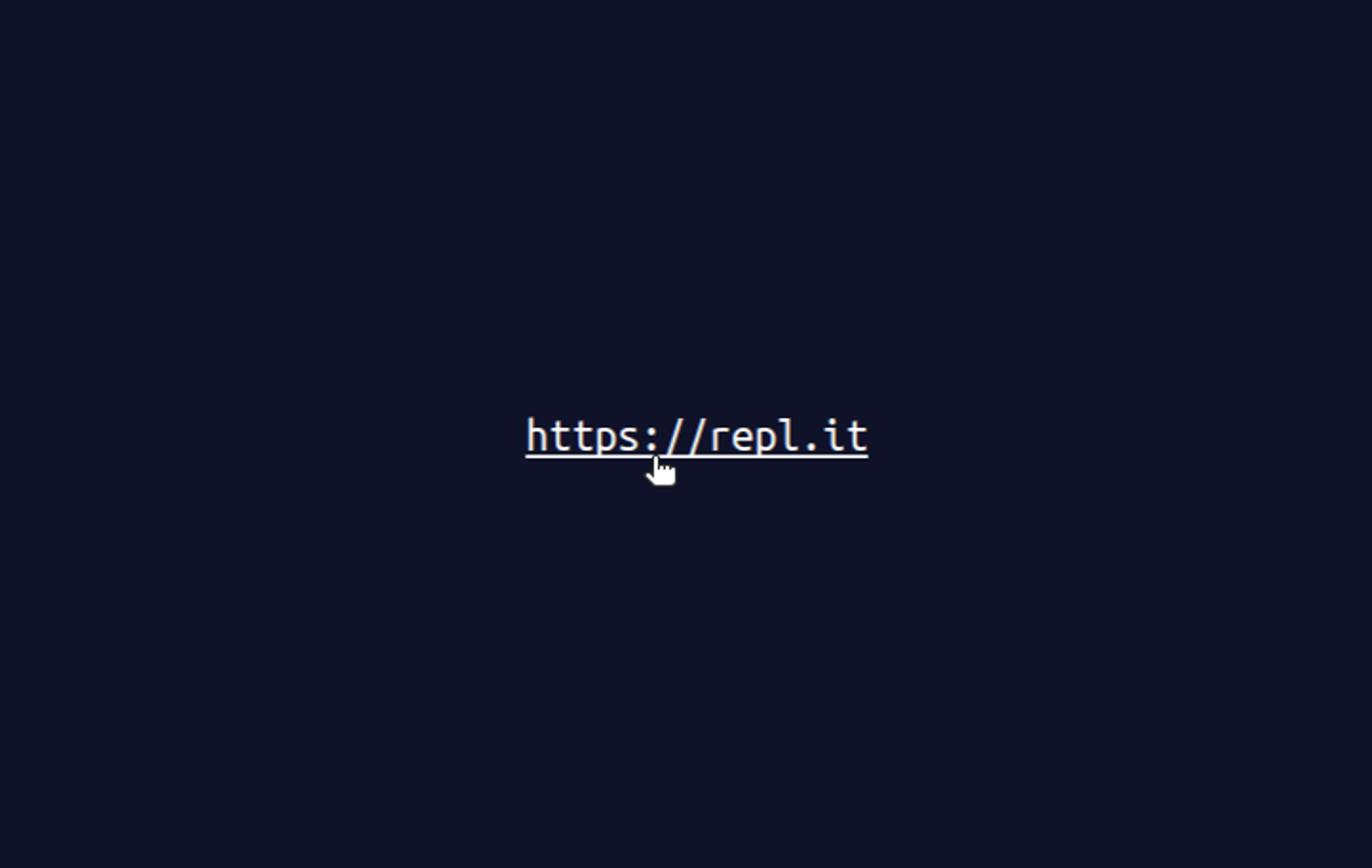
Terminals make it hard to copy things: Selecting text works differently to what people are used to, and ^C aborts the current program. Links are hard to use. Now you can click on links in the repl.it terminal. It's as simple as starting a repl and printing a URL to the terminal. This is super helpful with languages like Rust, which often print URLs in error messages to help you debug and learn.
 Tue, Apr 28, 2020
Improving Repl.it's Mobile UX
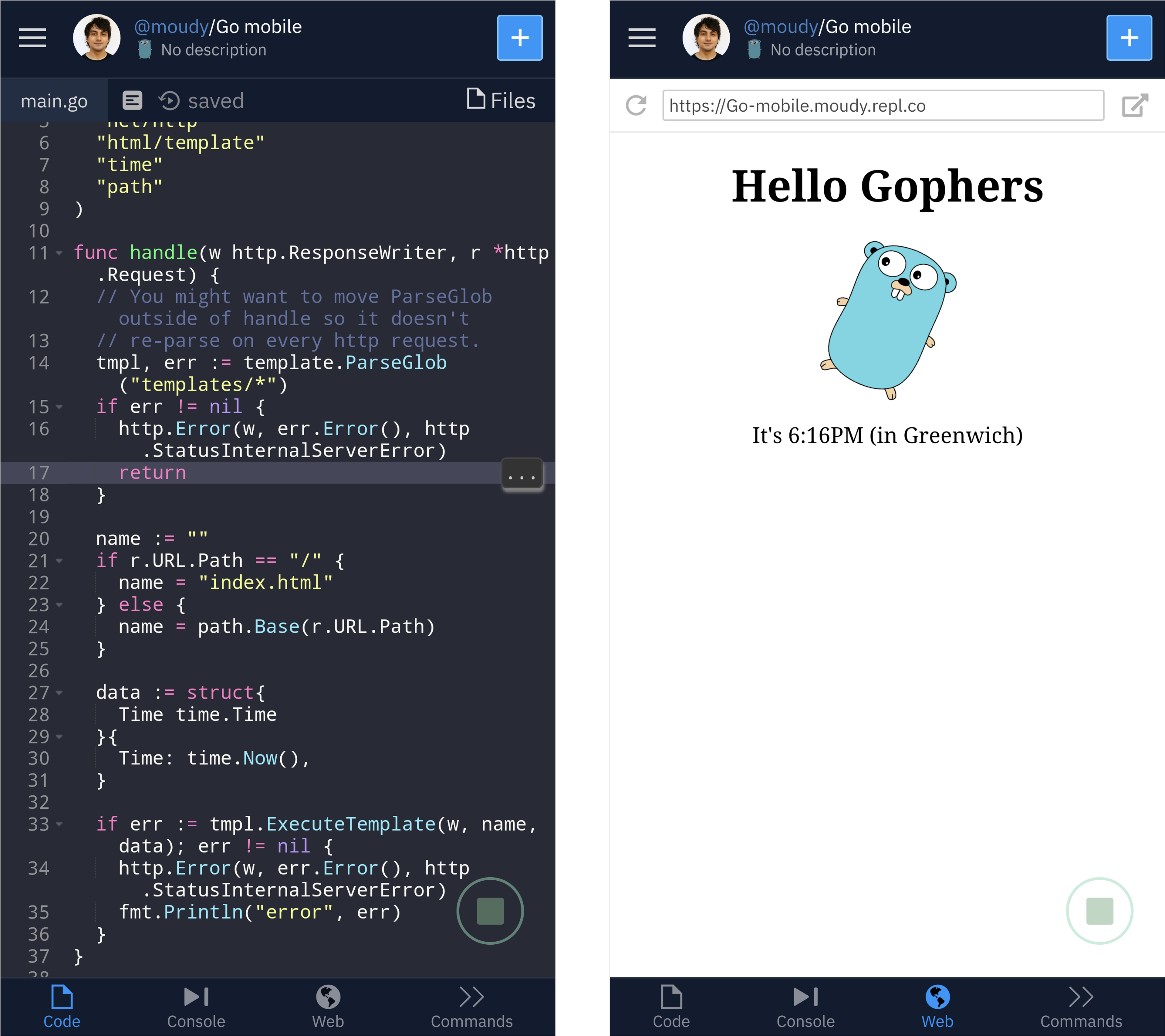
I like the process of writing because of how simple and portable the tools are. Regardless of time or place, a way to write things down is never far away. There's very little friction between inspiration and experimentation. I wish writing code was more like this. In fact, Repl.it is great for quickly experimenting with coding ideas. I can open a tab in my browser and start coding as fast as I can start writing an email. But what if I’m not near my computer? While Repl.it has always worked on phones, it was never optimized for it. That's why we're excited to release our first iteration of a mobile interface! Here's a quick look at running a Go http server using one of our templates: Rather than trying to adapt our desktop layout to a smaller screen we’re building this with native mobile design patterns in mind. We added a tab bar to the bottom of the screen. It acts as the primary navigation for the IDE similar to how native mobile apps do.
 Tue, Apr 14, 2020
Terminal Search
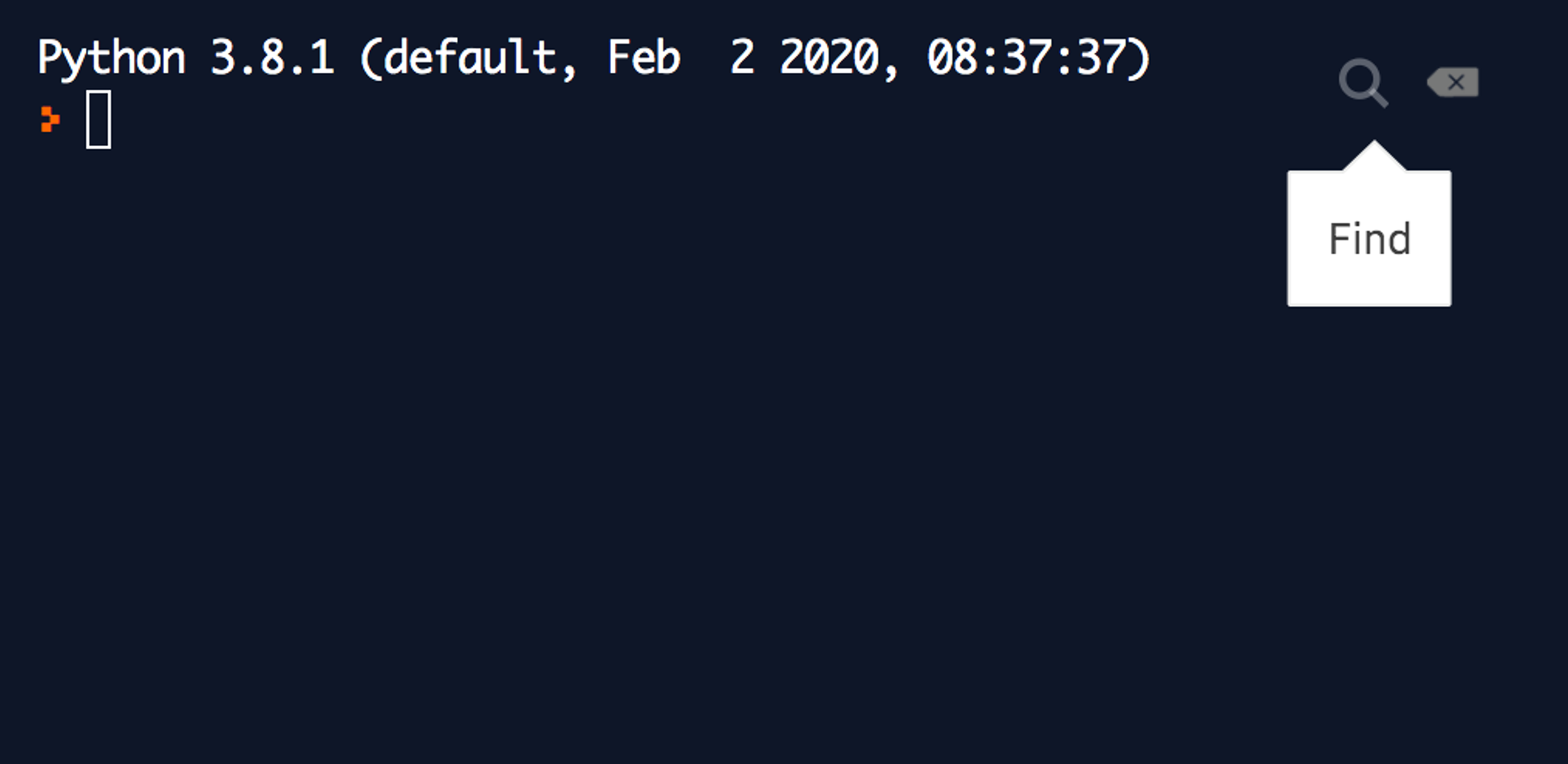
When you're deep into a debugging session printing a bunch of here, there, and wat, the output in the terminal can get hard to read. That's when search comes in handy, and that's why we're excited to announce our new terminal search functionality. You can get to it via the small search icon on the top-right corner of the terminal: And here it is in real-life action from one of a recent debugging session:
 Tue, Mar 24, 2020
Packaging Support for Java - Try Maven Packages in Your Browser
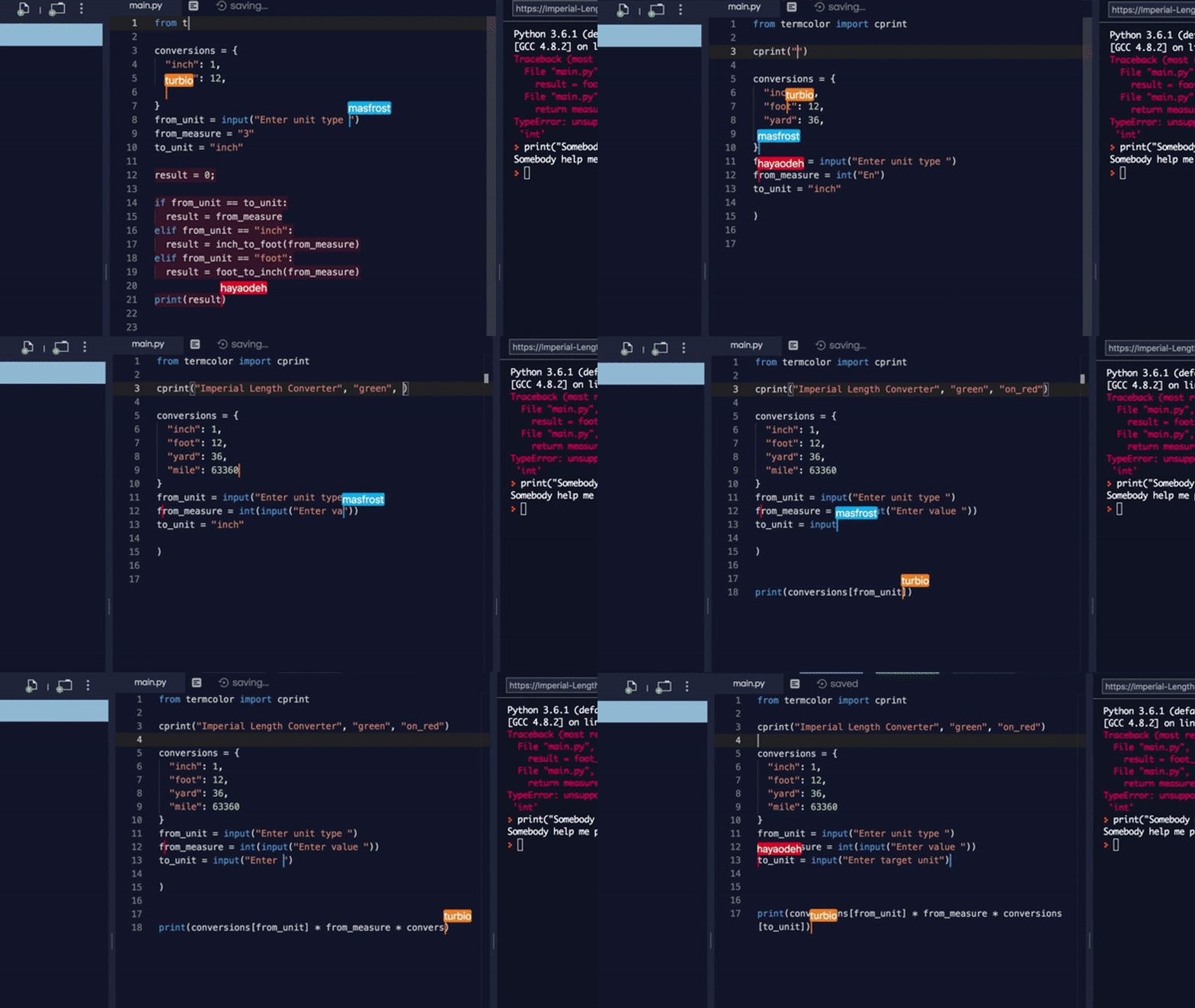
Java is one of the most popular languages on Repl.it, and the JVM powers many of our other languages (Java Swing, Clojure, Kotlin). We want to make it as easy as possible to code with other people and build new programs out of programs that already exist. So we've added packaging support for Java! The Universal Package Manager now understands how to add and remove Java packages using Maven. It also can search the Maven central repository for packages. If you'd like to get familiar with the Java ecosystem, I highly recommend Andreas Kull's Awesome Java list. It was while scrolling through this list that I found Yasser Ganjisaffar 's crawler4j, a web-crawling library. Building something with Java + Packages To show you how powerful Java Maven packages could be, we're going to build an app to pull down the most interesting Twitter threads. To start, I made a new Java repl, searched for crawler4j, selected the edu.uci.ics:crawler4j package, added it, copy-pasted the quickstart example in crawler4j's README, and clicked "run." It started crawling the UCI computer science home page. That's not quite what I wanted, so I pointed the crawler at the Threader front page, to see if I could pull down some interesting Twitter threads. Thanks to Yasser's well-documented examples I soon had a directory of popular threads.
- Wed, Mar 4, 2020
CLUI: Building a Graphical Command Line
“Command line interfaces. Once that was all we had. Then they disappeared, replaced by what we thought was a great advance: GUIs. GUIs were - and still are - valuable, but they fail to scale to the demands of today's systems. So now command line interfaces are back again, hiding under the name of search. Now you see them, now you don't. Now you see them again. And they will get better and better with time: mark my words, that is my prediction for the future of interfaces.” [1] Don Norman wrote this in 2008. Since then, search has become more powerful and users have grown more dependent on it-- searching for information with context-aware autocomplete is present in almost every popular digital product. Traditional CLIs, however, were never widely adopted by end-users because of their learning curve. Terminals, the primary platform for command-lines, are intimidating and feel like a black box to non-technical people. Also, a text-only interface is limiting-- it only allows actions to take place through language instead of the clicks, taps, and hovers that we’re used to today. Commands and flags often have obscure names, and spelling mistakes can result in cryptic errors, or worse, doing something you didn't intend. Despite all these problems, CLIs are still powerful. The input mechanism is always the same: text. It’s predictable and constant. Adding more commands takes minimal effort from the developer. Users aren’t overwhelmed with information-- you just specify the exact commands you need at any given moment. These benefits, however, come with the tradeoff that commands must be memorized to be efficient. Today, GUIs are the most popular user interface paradigm because they address many of the concerns above. They use visual metaphors for everyday objects we are used to: desktops, windows, tabs, buttons, menus, files, and folders. They’re intuitive and offer a small learning curve to perform basic actions, like moving files via drag and drop. It’s faster to recognize an icon than to remember the action’s name. The benefits of GUIs are rooted in both memory recognition, which “...refers to our ability to “recognize” an event or piece of information as being familiar”, and memory recall, which “...designates the retrieval of related details from memory.” [4, 5] So GUIs are obviously the best UI paradigm ever, right? Probably not. Although GUIs might solve some core usability issues that most CLIs present, they "...fail to scale to the demands of today's systems" [2, 3]. The moment you want to add a feature to a GUI, there’s an immediate question about where to put that feature. Should it be in the top right? Bottom left? Nav bar? Behind a tab? In the sidebar? Revealed on hover?
- Wed, Sep 18, 2019
Making Repl.it Collaborative at Heart
Coding, people believed, was an activity hackers did alone. While that might have been true in the past, the world is changing. New programmers come online every day and they want to effortlessly work and interact with others while writing code. Yet collaborative coding environments have remained troublesome to setup. Last year we launched Multiplayer, our real-time collaborative system, in beta. We’ve learned a lot since then. We’ve learned that while real-time coding is useful and fun, asynchronous collaboration is important for users working on long-term projects (which people are increasingly doing on Repl.it). We’ve learned that Multiplayer needs to be a core feature of the product -- not something you “turn on.” This meant a redesign of our core protocol and infrastructure to make it collaborative at heart. Repl.it is now natively Multiplayer: Collaborators can code together at the same time or asynchronously, real time editing is more robust, and every IDE feature works seamlessly in a collaborative setting. Protocol Changes & Operational Transformation The major challenge in making Repl.it collaborative at heart was adapting all our existing functionality to work seamlessly in a multiplayer environment. For a very long time we’ve gotten away with keeping the protocol very simple. Modeled after the Read-Eval-Print-Loop with a strict state machine. Only one action could be processed at a time and had to run to completion.
- Wed, Mar 20, 2019
Repl.it GFX: Native graphics development in the browser
At Repl.it we live and breathe making software creation easier. With our programming environment, you could start coding in your favorite language in seconds. With live deployments, we made web hosting a breeze. With Multiplayer, we've removed the drudgery from coding with friends. And today, we're excited to bring native GUI applications and game development to the browser. Before we go on, you have to see this in action: Just run the repl below, wait a few seconds for it to load, focus on the output window and start playing Tetris in Pygame: Let's take it up a notch and boot up this nifty desktop app we all love (might take up to a minute to load but then can be done recursively):
- Thu, Dec 6, 2018
Repl.it Multiplayer
Today we're announcing the most-significant evolution of our platform — something we've been building towards for a long time that we're thrilled to share with you. Introducing Multiplayer: code with friends in the same editor, execute programs in the same interpreter, interact with the same terminal, chat in the IDE, edit files and share the same system resources, and ship applications from the same interface! We've redesigned every part of our infrastructure to work in multiplayer mode -- from the filesystem to the interpreter. This works with all the languages that work on Repl.it. All free and ready for you to use right now. All you have to do is login, create a repl, start a Multiplayer session, give a link to your friends, wait for them to join, and start hacking! We started beta-testing Multiplayer last month. And while we think we're merely scratching the surface in terms of what can be done with it, a walkthrough of some of the emergent use-cases will give you an idea of how it works and how you can use it at your work, school, or for your side-project: Help
- Tue, Oct 16, 2018
File Switcher
A few days ago we shipped a simple feature that will save our users time in finding and opening files, especially for larger projects. This can even be used without having the file tree visible. Read on to see how to use it and to see a demonstration. If you've used offline IDE's before then you're probably familiar with this feature. To bring up the file switcher you can hit ctrl + P (cmd for mac), incase you're wondering why we chose that binding, it's cause it's the default for most modern editors. I'm actually interested in the history behind this feature, who started it, and why in the world did they pick ctrl + P (maybe it was meant for command pallete?), if you know you can reach out to me on twitter @masad-frost. Once you're in the file switcher you can type your file name or full path and it will show you your file, it also supports fuzzy string matching, so can just type part of the file you're looking for and it should show up.
 Thu, Jul 19, 2018
Universal Package Manager
Open-source has revolutionized software development -- it wouldn't be an overstatement to say that it's been the most significant productivity win for developers in the last decade or so. At Repl.it, our goal is to make programming more accessible and what better way to do that than make available to programmers the entirety of open-source packages available at their fingertips. Today we're excited to announce our Universal Package Manager -- the Repl.it package manager that will grow to support every language on our platform. We're now starting with JavaScript, Python, HTML/CSS/JS, and the web frameworks that we support. We've had basic support for automatic package detection and installation for a while now, but what changed is that we support search and spec files (package.json, gemfile, requirements.txt, etc) across the board. Furthermore, where we used to write custom code for every language that we support, now we merely add fields to a config file. This was mad possible by creating a common package manager runner abstractions. Adding package manager support for a language is as easy as adding a couple of fields in a JSON config: In addition to this we have a more ambitious project in the works to build the same package manager that works across all languages (with the same semantics). You should come work with us.