 Mon, Aug 23, 2021
Replit Joins Google for Education Integrated Solutions Initiative
New Replit features, powered by Google Cloud, make it easier than ever for students to code. Replit is announcing it has joined the Google Cloud Partner Advantage Program, utilizing Google Cloud as part of its core infrastructure to create accessible coding opportunities for computer science educators and learners around the world. As a participant of the Google for Education Integrated Solutions Initiative, Replit offers customers the ability to collaborate on code from anywhere, on any device. Students and teachers can easily build on Replit from a Chromebook, download it from the Google Play Store to their device, and even integrate Replit Teams for Education into Google Classroom. With the new Google Classroom integration, teachers can bring collaborative coding into their classroom faster than before. They can quickly add every student in their Google Classroom to a Team, easily add Replit projects as Google Classroom assignments, and access time-saving features like autograding tools and an integrated gradebook. As one Replit teacher put it, “I can concentrate on giving more time to working with the children and helping them rather than on housekeeping stuff.” These tools allow educators to focus on the important things, and Replit has those values covered, too. First, Schools and parents can rest assured that their students’ privacy is protected. With the security of Google Cloud infrastructure and FERPA/COPPA compliance built into the product, students can participate freely within a Replit Team for Education. Additionally, Replit has an app in the Google Play Store and will be featured in the Chromebook App Hub, making it easy for students on any device to get started coding. A Replit Teams for Education user, Shane McReavey, shared that “not everyone has the funds to purchase a laptop, so to create that sense of equality, that everyone has an opportunity, that’s where Replit has been really beneficial.” Another member of our teacher community recently shared that “Coding online is the best option for students especially if there is another lockdown. Many of them only have Chromebooks at home.” When so many students are still learning from their computers and tablets at home and numerous schools have opted to distribute Chromebooks to their students, this makes an enormous difference.
 Thu, Jun 10, 2021
Lessons on CS Equity from the RESPECT Conference
I had the pleasure of attending the RESPECT conference last month, convening with and hearing from a number of CS educators and researchers throughout the week. The focus of the conference was on equity in CS education. Replit's own goal is to give people coding superpowers by providing them with a powerful and accessible tool for every step of their journey. Throughout the conference, speakers described tools and best practices to better engage and represent minoritized groups in CS. We, on the Replit team are constantly seeking to improve the experience for our users so they can feel comfortable to learn and share. A Vibrant Multiplicity of CS Cultures During her keynote, Dr. Amy J. Ko discussed the history of computing cultures and offered a vision of a vibrant multiplicity of CS cultures that engage with people with all kinds of interests and experiences. She mentioned that computing has historically been both a refuge for marginalized people as well as a magnet for power. Replit aims to create a welcoming community of creative developers and give this community opportunities to grow their businesses and even monetize their projects. Replit has and will continue to support all of our users by creating a dynamic platform that enables learners to become confident creators. It's not a simple task to increase access to coding education or to make the field more welcoming, but Dr. Ko's vision offers a solution: increase educational access to improve diversity within the field.
 Mon, Mar 1, 2021
Replit Teams for Education is Leaving Beta!
*Edit: As of March 2022, Teams for Education is free for all educators. You can gain access here. At Replit we believe that computers give people superpowers. With computers, anyone who's willing to learn can spend more of their time on creative invention rather than tedious drudgery. They help us automate repetitive tasks and build on the collective knowledge of all the great thinkers, inventors, artists, and teachers who came before us. Computer science teachers around the world are bestowing these superpowers upon the next generation of creators and builders. We built Replit Teams for Education for them, and today we're officially taking Teams for Education out of beta. Sign up for a free trial if you haven't already!* Thank you teachers for beta testing Teams, for giving us invaluable product feedback, for helping one another out as part of a vibrant and diverse community of Replers, and for being a part of the history of computers.
 Tue, Dec 15, 2020
Input/Outputing Testing & Autograding
Today, a highly requested feature has been released: Input/Output testing & autograding. The Input/Output Tests pane is embeded within all new and existing Teams for Education projects. This pane contains tools designed to simplify testing code. Instead of manually entering typing input and checking output for every submission, the autograder allows you to define and automate testing. How do I use it? Input/Output tests is only available for projects created within the Teams for Education product. This feature is available on all projects - new and existing. Click on the icon within the workspace sidebar nav to reveal the Input/Output tests pane.
 Mon, Sep 28, 2020
Code Annotations (available now for Teams for Education!)
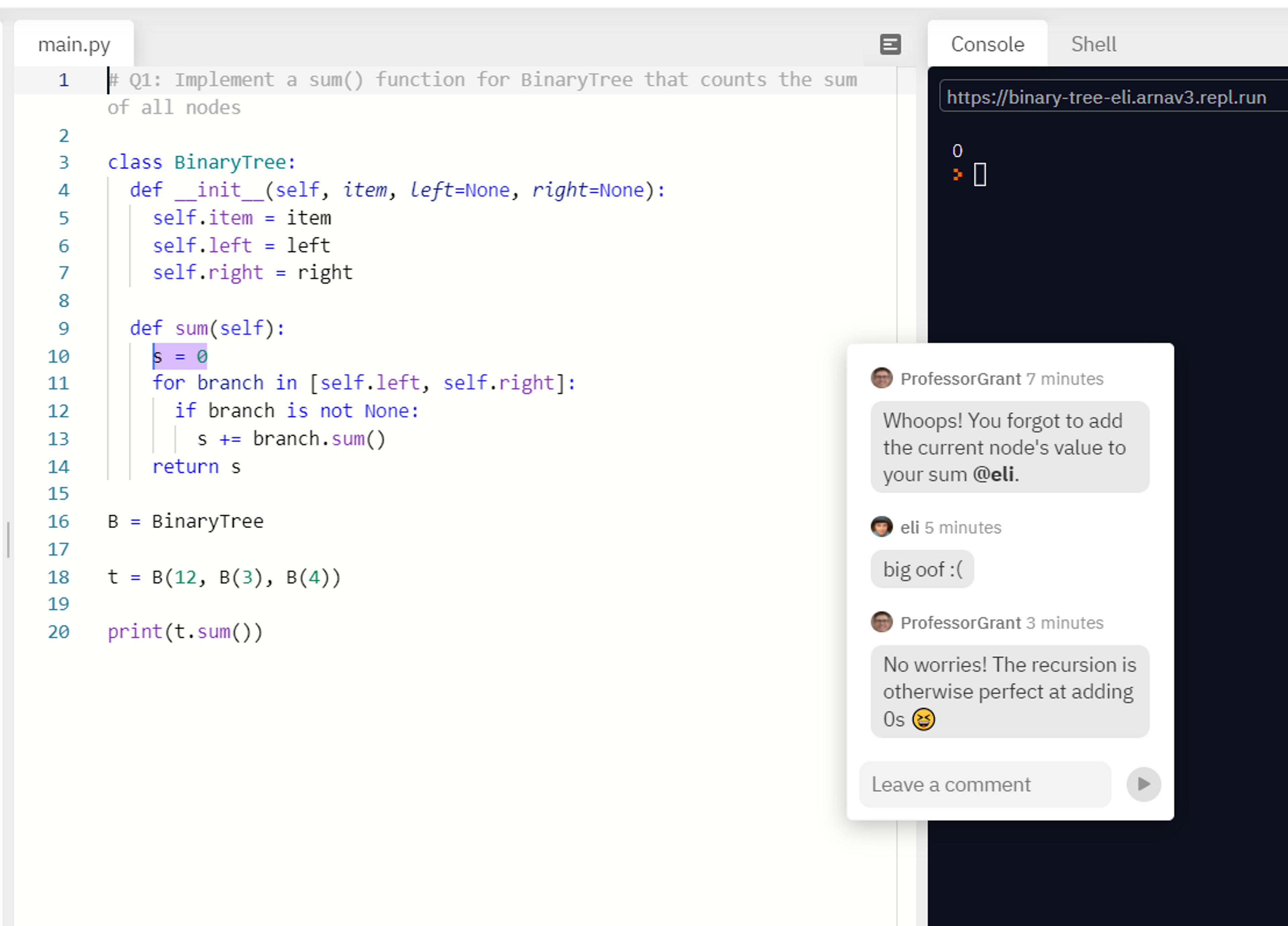
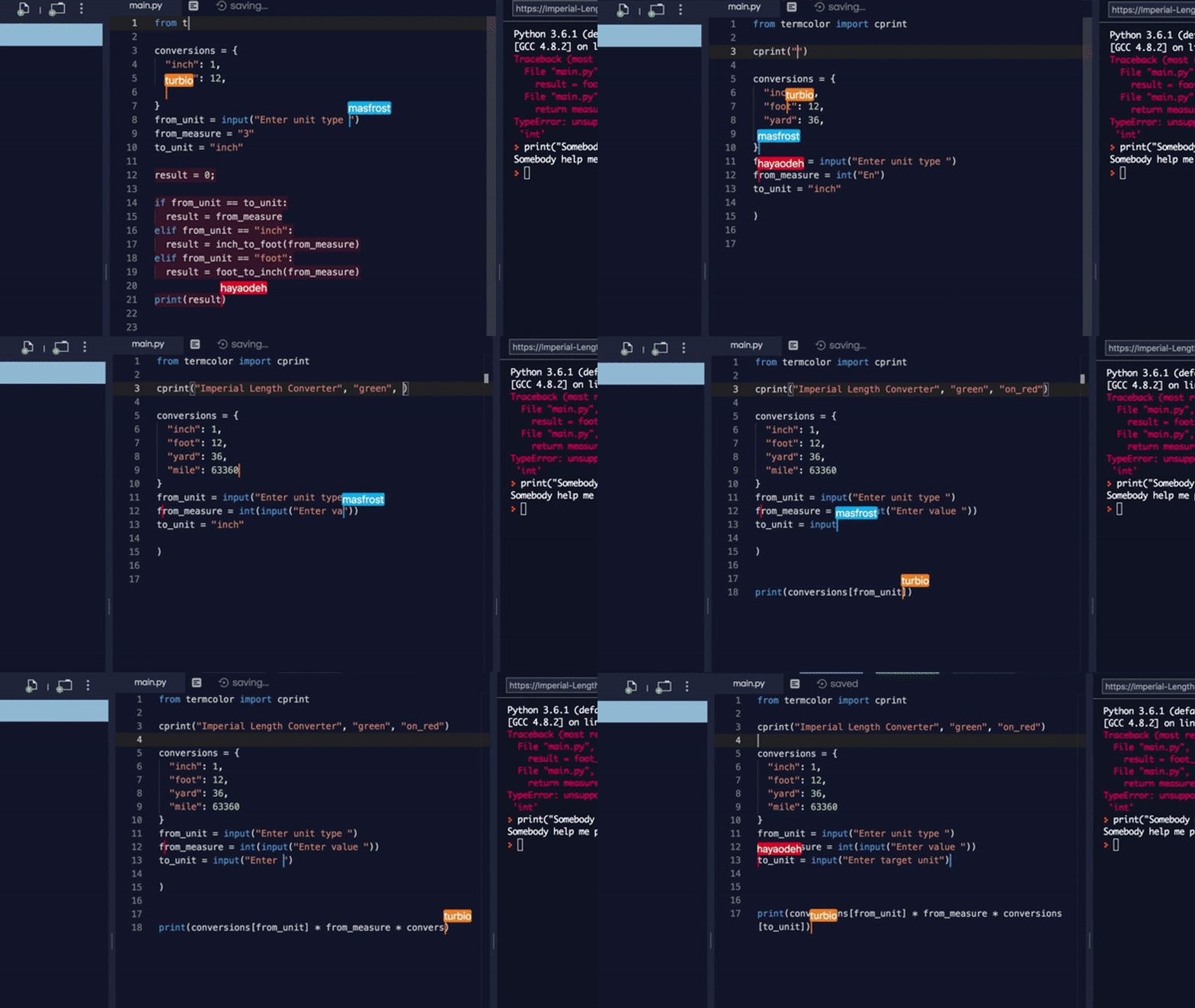
The future of programming is collaborative. To this end, we've just added a new feature that unlocks a lot of potential for educators: the ability to annotate code. Annotations make it easy for students and teachers to communicate. You can point to particular sections of code, clear doubts about syntax, and question decisions during code reviews. And it's simple to use: just select a piece of code, click the floating annotate button, type in a message, and send. Once you create an annotation, it functions like chat: you instantly see your collaborators reply and can talk about code in real-time, just like how you write it. Remote learning This year, as students learn to code online, they are missing out on 'shoulder-to-shoulder debugging', where they work with their peers or teachers on the same screen to fix the inevitable bugs that beginners face.
 Wed, Jul 22, 2020
Dear users coming from Glitch
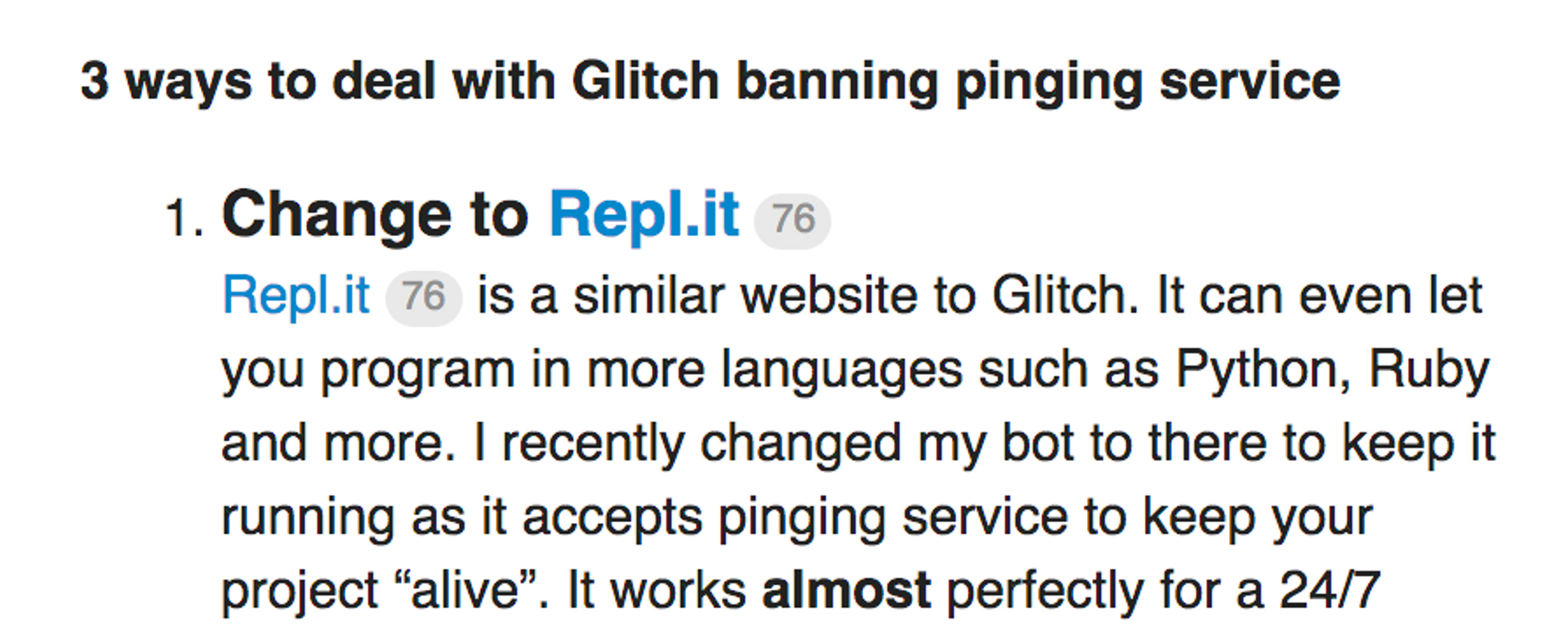
First, at Replit we're not motivated by competition. What we care about the most is making programming and computing more accessible. That means anyone who wants to code and build things should be able to do so without any hurdles. Recently, Glitch, one of our competitors focusing on JavaScript, has blocked pinging services from reaching user apps. Among other things it means they broke the Discord bot experience for their users. We don't have any insight on why they did that but it seems part of a larger change they're going through which also resulted in layoffs. That resulted in a user influx to Replit so I wanted to write this to welcome you to Replit and tell you a little about us. Replit has existed since 2011 and we've been growing the service in a sustainable way that doesn't result in disruptive changes. Building a service like ours is hard, especially for a small team like ours, and we're constantly improving and making things better. But our absolute top priority is being a place coders can depend on -- we will try our absolute best to never let you down.
 Fri, Mar 13, 2020
Teach Coding Remotely - free for public schools and 80% discount for everyone else
*Edit: As of March 2022, Teams for Education is free for all educators. You can gain access here. We've been hearing from our teacher community that despite school closings they want to continue teaching their students remotely. Luckily Repl.it was designed to be remote-first and will be a perfect tool for this. We have two products that serve different remote modes: Multiplayer Real-time collaboration. You can invite your entire class into a repl to follow along or even collaborate all together. To that end, we're increasing the number of free collaborators on the free plan to 50 users!
 Fri, Jan 27, 2017
Enable Assignment Dependencies with Teams for Education
Fundementally, learning is about completing basic material before moving on to more advanced stuff. -- a teacher giving us feedback. At Repl.it we're always open to feedback; and supporting the teachers and students that are using our platform is our top priority. We know that teaching is hard but it's easliy one of the most impactful jobs when done correctly. As mentioned in my post about assignment reordering -- we're making it possible for teachers to enable assignment dependencies which will require students to complete an assignment before moving on to the next one. This is optional but it makes sense to enable if you designed your material to be expereinced in a certain order. Finally, we're always thinking about the best way students learn, that’s why we decided to make locked assignments accessible as read only on the student end. This means: students will be able to read the assignment but won't be able edit or submit. We think by allowing this, students can prepare themselves for upcoming assignments and it would help them to form an idea of what’s coming next.
- Thu, Jan 19, 2017
Reorder Assignments with Teams for Education
At Repl.it our mission is to make programming more accessible, and the best way we found to achieve this is to support, you, the teachers on the ground doing working with students. That's why we want to make sure you control the student experience and today we're making it possible to control the assignments order from your classroom dashboard.[](preview end) We're giving you seven different sorting options: Alphabetic (both a-z and z-a), Publish date (both old-new and new-old), Due date (both sooner-later and later-sooner) and finally, Manual where you'll be able to drag and drop assignments in any order. Additionally, we're unifying the teacher’s and the student’s classroom dashboard by allowing you to choose any reordering option. That means both sides will see the same assignments order on their classroom dashboard which avoids any kind of confusion between the teacher and the students. To remove any friction at the students' end we're removing the sorting options in the student dashboard. Students will receive the order that their teacher chose for them; and soon this will allow teachers to add assignment dependencies which will require students to complete their assignment before moving to the next one. And as always, here is a gif of how it looks like:
- Wed, Sep 28, 2016
Scheduled Assignments
Today, we're introducing scheduled assignments. Teachers using Repl.it Classroom can now schedule assignments to be published in the future. You can imagine working on your assignment, schedule a publish date, go on vacation, and still have your students receive their assignments at the right time.[](preview end) When the assignment is finally published your students will receive a notification informing them of it. You can get to this menu from the second page in the assignment creation flow. As always, feel free to reach out at [email protected] with feedback. We'd love to hear about how this feature helped you. Or, more importantly, if there is something we can be doing better.
- Wed, Jun 29, 2016
View Student Performance with Classroom Overview
Before we decided to build repl.it classroom, we paid a visit to one of the schools using us in the classroom. I felt excited and anxious at the same time; I was introduced to the teacher and students in the class, and then my job started as designer observing and paying attention to every single detail.[](preview end) The teacher explained the workflow and had two students assisting her to check on the students. Seeing the teacher and student’s frustration made me see a problem, I noticed that most of the students were trying to communicate their frustrations, but they were either embarrassed or too shy. Others gave up too soon, without even trying. The two assistants solution might have been a good idea, but for students knowing the fact that they’re being watched or might be judged made them hesitant to ask for help. Towards the end of the class I was handed a piece of paper and was asked to list the student names who completed the assignment successfully. A teacher should be able to see where her students are at—to have bird’s-eye view for the classroom so attention can be paid for the ones who need it the most, plus it would be good way to track progress. Hovering around each student individually can be time and energy consuming. Introducing Classroom Overview The Student Overview is a feature of the teacher dashboard that we’re introducing. Where previously you had to go into each assignment to see the progress for each student individually (which ironically mirrors the physical classroom experience described above). The teacher classroom dashboard is now divided into assignment and student sections. The assignments section lists out the assignments published or in draft and allows you to create a new assignment. The student section is all about the students, their names, completion percentages for all their assignments and the current submission status.