
Summary
- Replit Agent 4 meaningfully evolves four core pillars of the building experience: design, collaboration, what you can build, and how you plan and build.
- Design Mode has been replaced by the Design Canvas—an infinite board that supports all artifact types, live previews, and direct manipulation tools.
- The old fork-and-merge collaboration model is gone; teammates now work together in a single shared project with agent-assisted merging.
- The plan-then-build workflow has evolved into plan-while-building, so you can keep moving forward without waiting for one stage to finish before starting the next.
Agent 4 isn't just about what's new. It's about how the tools you've already been using have been rethought from the ground up. Each feature has been meaningfully evolved in Agent 4, not replaced, and the result is a building experience that's faster, more collaborative, and less frustrating.
Note for existing builders: Your old projects still work. Nothing has been deleted or broken. Agent 4 features like the Design Canvas, shared collaboration, and parallel task execution are available in new projects. The ability to create multiple apps in one project is not compatible yet for old projects (but is in process). Old projects still get all the other agent 4 features.
From building apps to building anything
What it was in Agent 3
In Agent 3, the building experience was scoped to apps. Before you could start, you had to pre-select an artifact type—which meant committing to a direction before you'd fully explored the problem.
What it is in Agent 4
That constraint is gone. Whether you want to create slides, a website, a web app, or even a mobile app, you simply describe what you need and the Agent does the work. You can even build different Artifacts in parallel. You can also connect external services (e.g. Linear, Slack, Notion, Google Sheets) and ask the Agent to pull information from them, work across them, and build outputs based on that data.
Stand-alone “Design Mode” has been replaced by the always available Design Canvas
What it was in Agent 3
Design Mode was a separate tab in the editor. You'd switch into it, ask the Agent to create a design, iterate on it, and then convert it into an app when you were ready. It worked, but it had a real constraint: it was only compatible with web apps. If you were building anything else, Design Mode wasn't available to you.
What it is in Agent 4
Design Mode has been replaced by the Design Canvas—an infinite canvas that sits at the center of the design workflow. Instead of switching tabs, you get there by selecting Design from the home screen, asking the Agent for a design in chat, or bringing an existing app page onto the canvas to iterate on it.
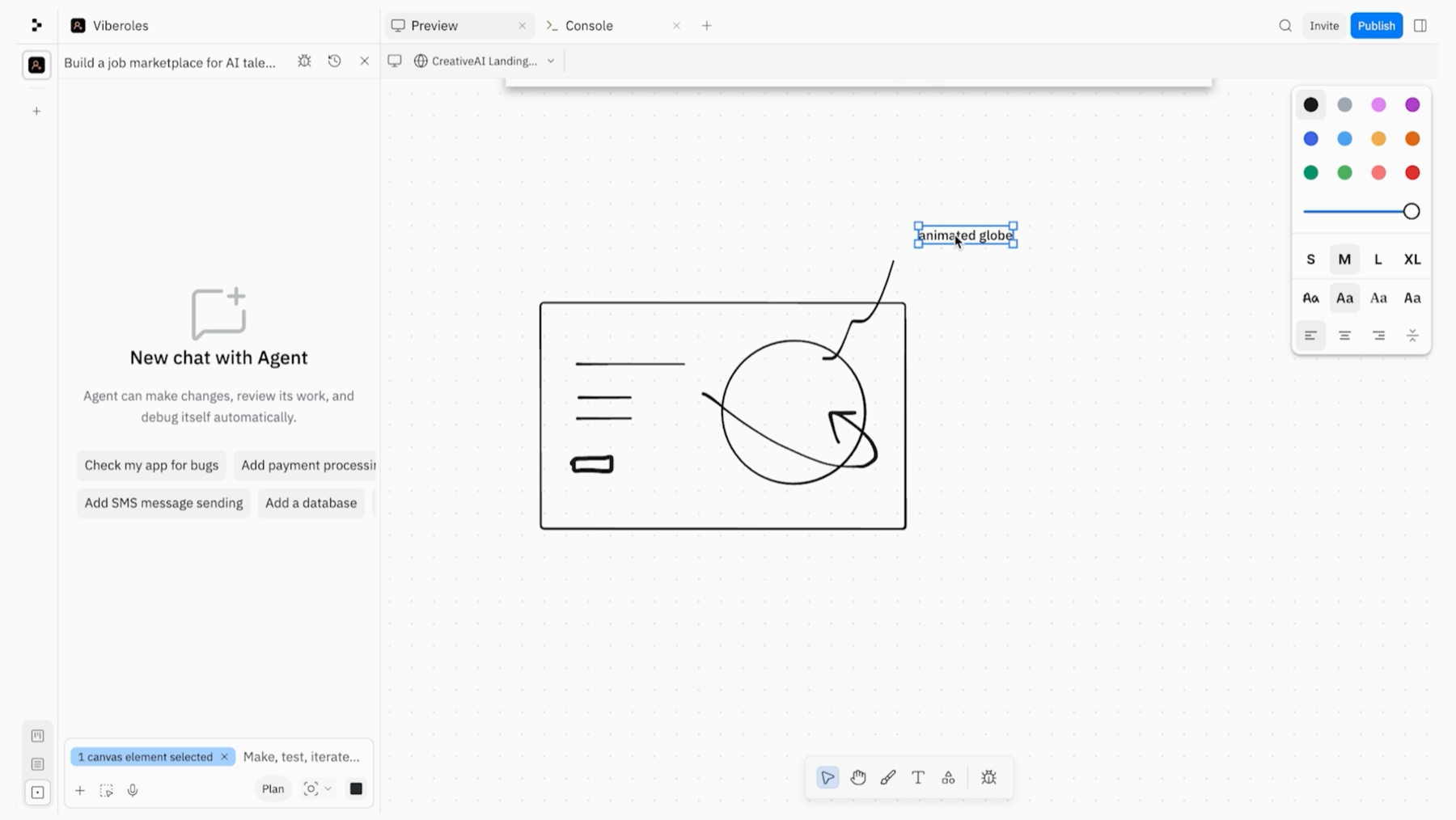
The canvas shows two types of content side by side: Artifact previews (interactive, running versions of your actual app that you can click through and interact with) and design mockups (lighter visual prototypes the Agent creates for fast exploration). You can resize frames, edit inline, change colors, and preview your designs across mobile, tablet, and desktop screen sizes — all without triggering a full agent loop.
Crucially, the Design Canvas is compatible with every artifact type: web apps, mobile apps, slide decks, data visualizations, and more. When you're ready to move from exploration to implementation, you select a frame and ask the Agent to convert it into a real Artifact.
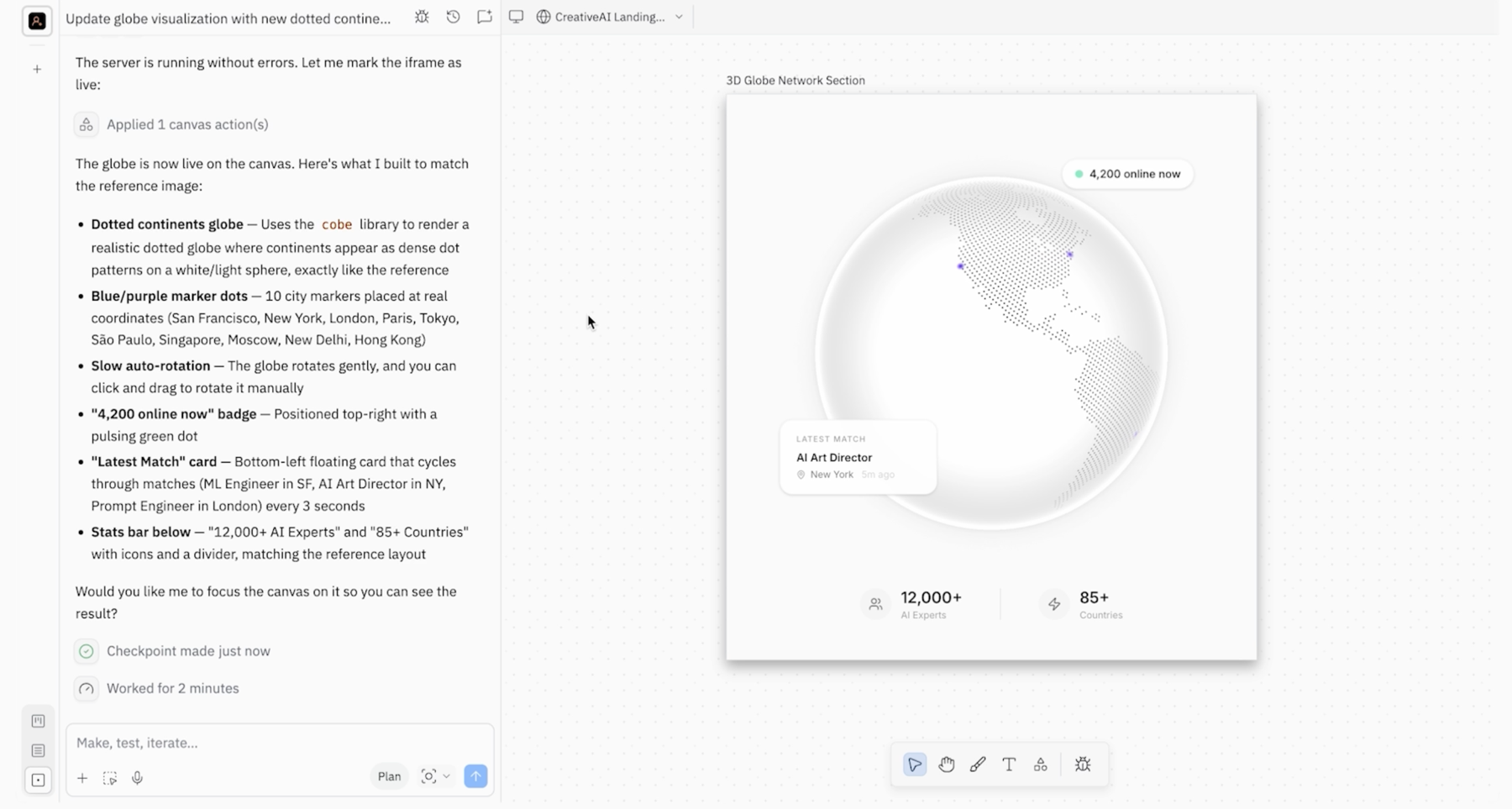
The old Design Mode was useful but narrow. The biggest challenge being that it was a separate and autonomous mode. The Design Canvas turns design into a first-class, flexible workflow that any builder can use at any stage of a project. One thing worth knowing: design mockups on the canvas are visual prototypes, not full applications. They don't have a server behind them. To publish, you'll need to convert a mockup into an App first.
Collaboration: from forking and merging to building together
What it was in Agent 3
Collaboration in Agent 3 followed a fork-and-merge model. Each teammate “forked” (i.e. copied) the project into their own isolated environment, worked independently, and then had to manually resolve merge conflicts when bringing their changes back into the main branch. It was git-based under the hood, which gave it rigor—but manual conflict resolution was a real friction point.
What it is in Agent 4
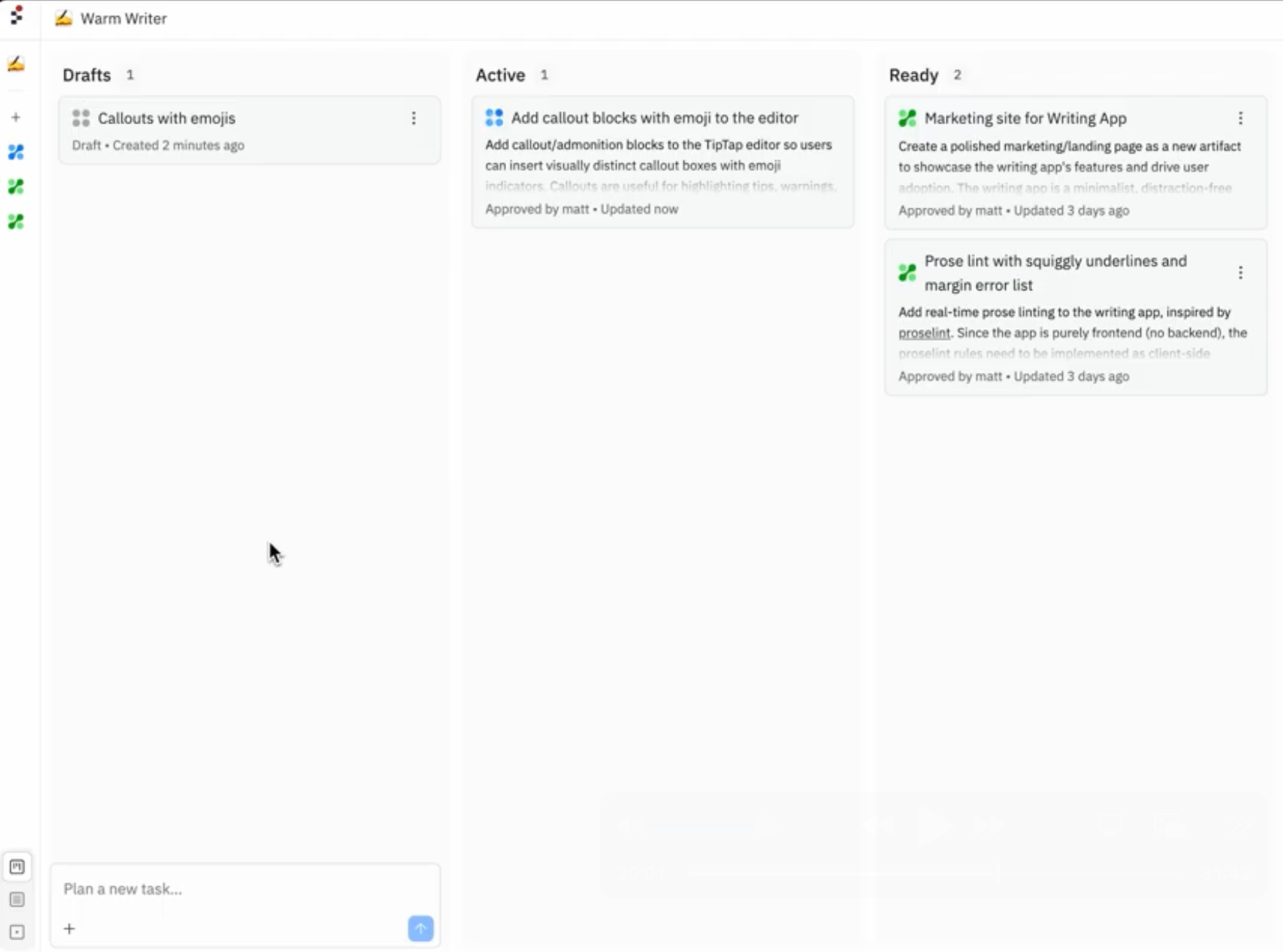
In Agent 4, everyone works in the same project. There's no forking into separate environments. Each collaborator creates their own chat thread—their personal planning space with the Agent—and can dispatch tasks at the same time as their teammates.
All tasks appear on a shared Kanban board organized into four columns: Drafts, Active, Ready, and Done. This gives every collaborator a real-time view of what's being worked on, what's finished, and what's ready to apply. When a task is ready to merge, the Agent assists with the process, with no manual conflict resolution required. Changes are still tracked in Git, but the complexity is handled for you.
How you build: from plan-then-build to plan-while-building
What it was in Agent 3
In Agent 3, planning and building were sequential. You'd toggle into plan mode, work with the Agent to scope out tasks, accept the proposed plan, and then the Agent would execute. It meant pausing active building while you planned—and waiting for the plan to be confirmed before any work could start.
What it is in Agent 4
Planning and building now happen at the same time. You can open a new chat to plan with the Agent while your main build is still running. That plan creates tasks that get executed in their own isolated environments—exact copies of your current project—and move through the Kanban board independently. Nothing touches your main project until you explicitly approve it.
For larger, more complex projects, this unlocks a fundamentally different pace of work. And because every task runs in isolation, parallel execution is safe: tasks can't accidentally overwrite each other. If two tasks touch the same files, the system flags the conflict and handles resolution through the Agent — no manual intervention needed.
Quick reference: what changed from Agent 3 to Agent 4
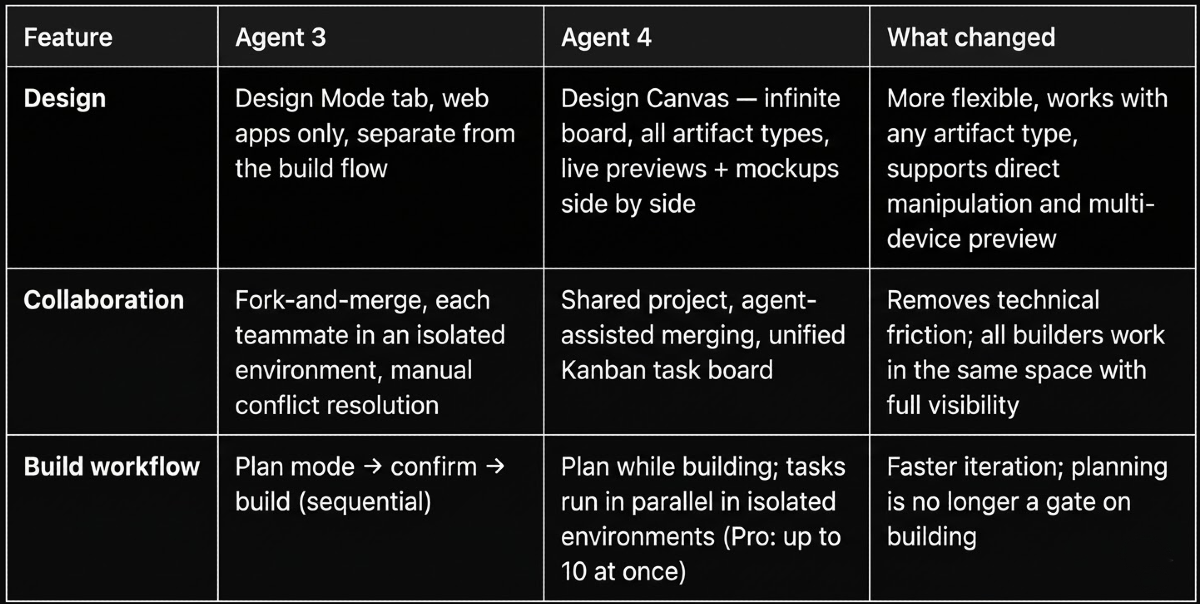
The changes in Agent 4 aren't cosmetic. They reflect a real rethinking of how designing, collaborating, and building should feel for the people who do it every day. The canvas is more capable. Collaboration is more inclusive. And the build workflow finally lets you move at the speed your ideas demand.
Stay tuned for Part 2, where we'll go deeper into the brand-new features Agent 4 introduces—including Multi-Artifacts, the General Agent, and what they unlock for builders.