
Summary
- Build and launch in one place with Replit Animation, bringing motion-style videos into the same workspace where you ship your app.
- See how an internal design hack became a product, as Samuel's design experiment turned into a Fast Mode launch video that went viral.
- Join a growing mobile-first community, with more than 1,800 builders from the mobile buildathon feeding into a new server and ambassador program.
- Watch launch videos come together live, as Manny builds a Snap Circuits promo using prompts, assets, and the animation build type in Replit.
- Steal a faster workflow for motion-style launch videos, using prompt tips to tweak scenes and iterate faster than a traditional agency process.
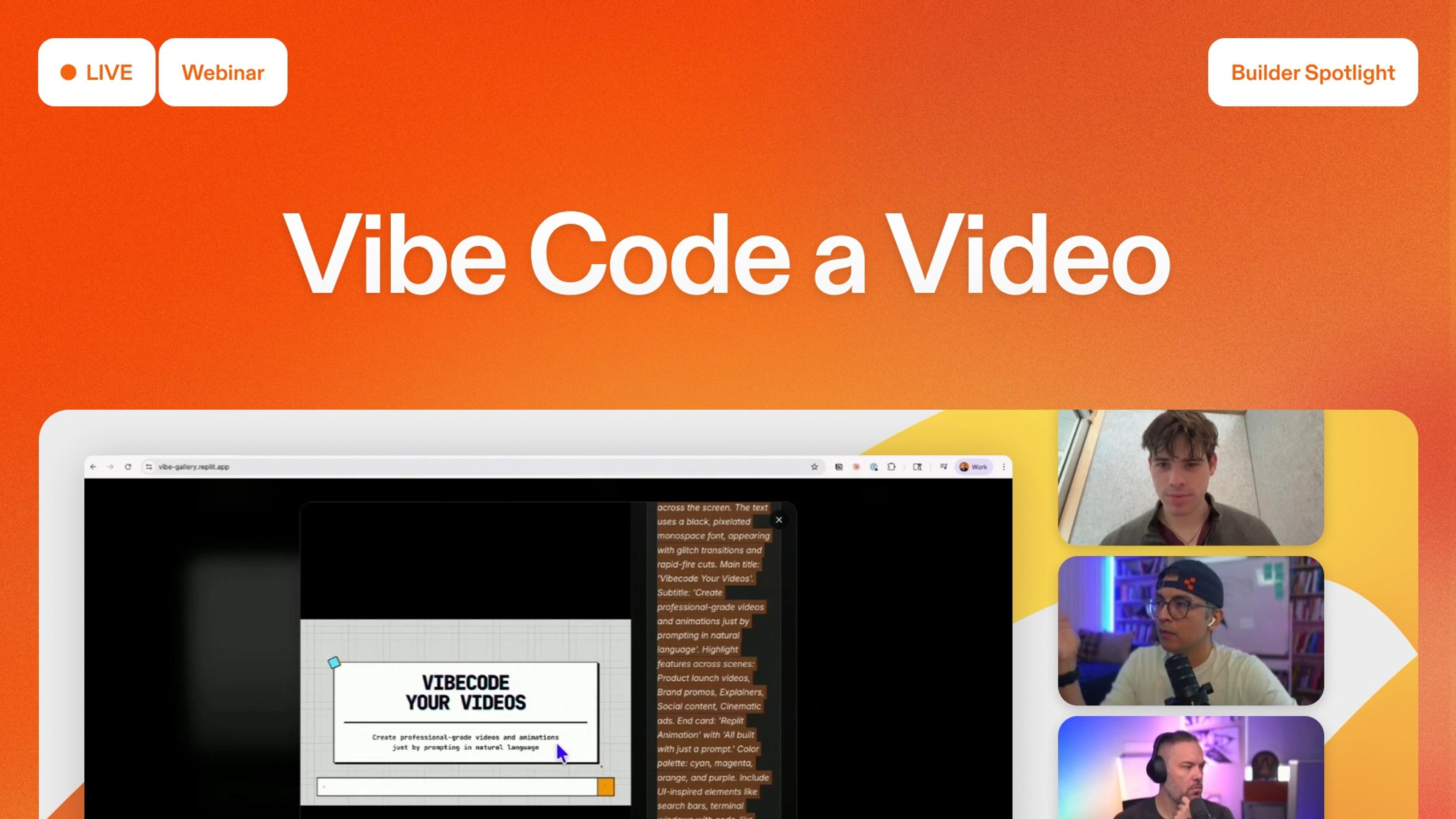
Our recent "Vibe Code Videos in Replit" livestream showed how to ship motion-style launch videos right inside Replit instead of waiting on a motion graphics studio. The team uses Replit Animation to build hype videos, walk through real examples, and show how the feature fits into a builder's workflow.
Our very own community manager Manny was joined by Francisco and Raymar from our community team, plus special guest Samuel from our product design team. Sam helped turn an internal Replit Design experiment into the product now called Replit Animation. Together, they bounce between community updates, a gallery of animation examples, and step-by-step demos you can copy.
Big takeaway
Replit Animation lets builders ship launch-ready motion videos in minutes, right inside the same workspace where they build their apps.
From design experiments to Replit Animation
Replit Animation started as a design experiment. When the team launched Replit Design on top of Gemini, Samuel wondered if the same setup that generated sites and decks could also drive animation.
On day one, he tried it and got an answer fast. Sam explains. "Replit animation allows you to vibe code professional motion style videos with natural language. So what does that mean? This is not like an AI generated video like Veo or Sora."
Within thirty minutes of playing around in design mode, he had a launch-style video that looked studio-made.
Two days later, the team needed a Fast Mode launch video on short notice. They didn’t have time to brief an external agency. Samuel sent the experimental video he’d vibe coded in Replit Design. They shipped it, posted it, and Samuel says:
"We posted that video on our socials and it got more than a million impressions organically. This thing that I built for like a couple bucks as someone that's like not a motion designer."
After that Fast Mode launch, the team kept returning to vibe-coded videos for future releases. Over the break, Samuel turned the experiments into a real product. When Gemini 3.1 Pro dropped, they held the launch briefly so they could ship Replit Animation on top of the newer model.
What Replit Animation is (and isn’t)
Replit Animation isn’t just another AI video generator. It’s more like having a motion graphics studio built into your Replit workspace.
With Replit Animation, you:
- Describe launch videos in natural language. Tell the agent what you're launching, who it's for, and the vibe you want instead of writing storyboards or code.
- Skip the motion graphics agency. Replace a specialized, expensive studio with vibe coded scenes that still feel like polished launch clips.
- Work at your own pace. Generate a first cut in minutes, then keep iterating inside Replit instead of waiting weeks on external teams.
- Stay close to the product. As a product or marketing owner, put your own ideas directly into the video so it frames the launch exactly how you want.
Samuel contrasts this process with traditional launch workflows.
"Normally this costs thousands of dollars and most professional designers even can't do it. It's a specialized skill set."
For a typical startup, that meant hiring a motion graphics agency, trading budget and weeks of back-and-forth for a short launch clip that might still miss how the team wanted to frame the product. Even Replit, which can afford outside agencies, will produce many launch videos in-house. Samuel points out, "We've even chosen, despite having the resources and knowing these agencies, to do a lot of these launch videos in house using this product because it's so effective."
How builders actually vibe code launch videos
With the context set, Manny moves into hands-on demos of Replit Animation.
First, he shows internal launch clips and examples from the Replit team, including the Fast Mode video that came out of Samuel’s early experiments. Then he shares the gallery of community animations that were vibe coded directly in Replit, complete with favorites and a leaderboard so you can see what styles and prompts are resonating.
From there, he walks through building new videos live. One of the most memorable is a Snap Circuits promo. Manny visits the Snap Circuits site, grabs product images, sets the build type to animation, and asks the agent to make a launch video for a new kit.
Replit Animation generates a sequence of animated scenes, and Manny layers in narration and AI-generated footage.
The whole piece feels like something a smaller company might have paid a studio to produce.
Prompting, iteration, and the animation build type
Once you’ve seen what the feature can do, the team shifts into practical tips for getting good results.
Manny and Samuel emphasize a few core habits:
- Start in the right place. Use the app tab, not design mode, when you want an animation project, and confirm that the build type is set to animation before you kick off a long run.
- Lean on the prompt optimizer. The built-in optimizer can turn a short idea into a scene-by-scene outline with visual direction, motion styling, and a rough style guide so you have something more concrete to tweak.
- Expect to iterate. The first output will sometimes be great, but often you’ll want to nudge it. They suggest opening the same prompt in multiple tabs, then stealing the best parts of each run.
- Edit like a director, not a spectator. If a specific scene feels weak, ask the agent to "change the intro scene," "use more movement," or "make the transitions punchier" instead of starting over from scratch.
Throughout, they remind builders that you don’t need to be a motion designer or an expert prompt engineer. You can talk to the agent the way you’d talk to a collaborator and still get professional-feeling motion.
Why this matters for builders
For builders, the value of Replit Animation is simple. You don’t have to choose between shipping your product and shipping the video that explains it.
With the same workspace you already use for apps and sites, you can:
- Build and launch together. Ship your product, landing page, and launch video from Replit without bouncing between tools.
- Iterate instantly. Make edits yourself in minutes instead of waiting days or weeks on external motion teams.
- Share fast. Publish your app and your video together, share links with your community, and treat launch clips as something you can keep improving.
Open Replit, switch to animation, bring in a few assets, and vibe code your own launch-ready video using the same steps the team walks through on stream.
Watch the full webinar
AI disclaimer: This post was originally drafted using an AI-generated summary of a video transcript and subsequently reviewed and edited by a member of our content team for accuracy and clarity.