
- Audience: Programmers and Engineers
- Skill level: Intermediate
Introduction
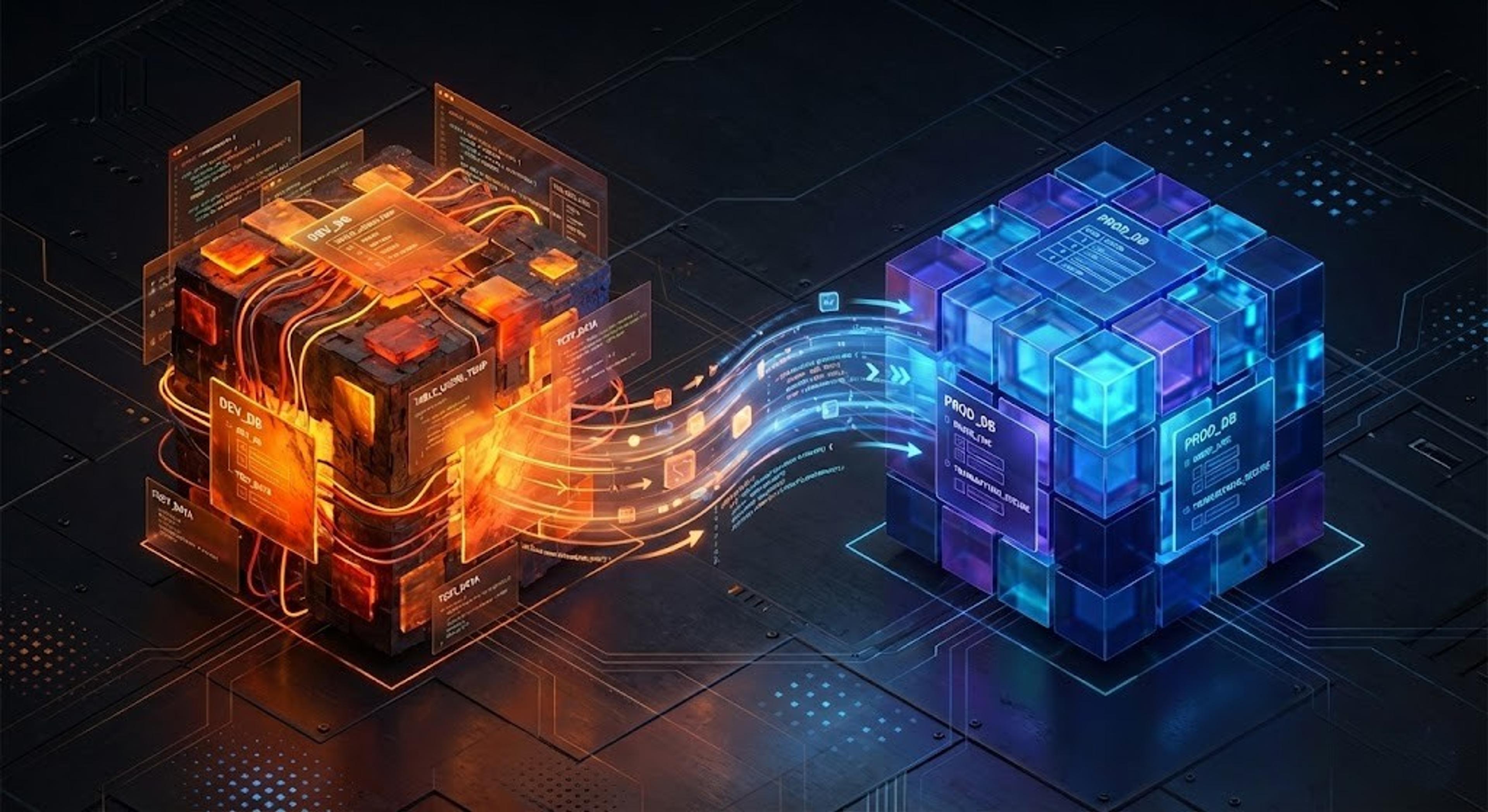
Separating development and production databases is fundamental to safe software development - it prevents accidental data loss, allows developers to test changes freely, and ensures production data remains stable and secure. Yet managing database changes between environments can be hard at the best of times, even sometimes for us engineers.
Now imagine replacing the engineer with an AI agent, operating on behalf of a user who may not be aware of why having separate development and production databases is important or what a database migration even is - that’s when things get interesting.
At Replit these are the types of challenges we strive to solve on a day to day basis. And managing database changes between environments seamlessly, safely and with as little user intervention as possible, was one of our most recent.
Why
For a while, every Replit app had just one database. This made making application database changes easy and understandable for both the agent and our users. However, with the introduction of deployments you can start to imagine where having one database shared between both development and production environments may start to cause some issues…
The solution was clear, we wanted to introduce a separate production database for every deployment. This would give us proper isolation between development and production data, preventing any accidental data corruption during development and better aligning with standard development practices.
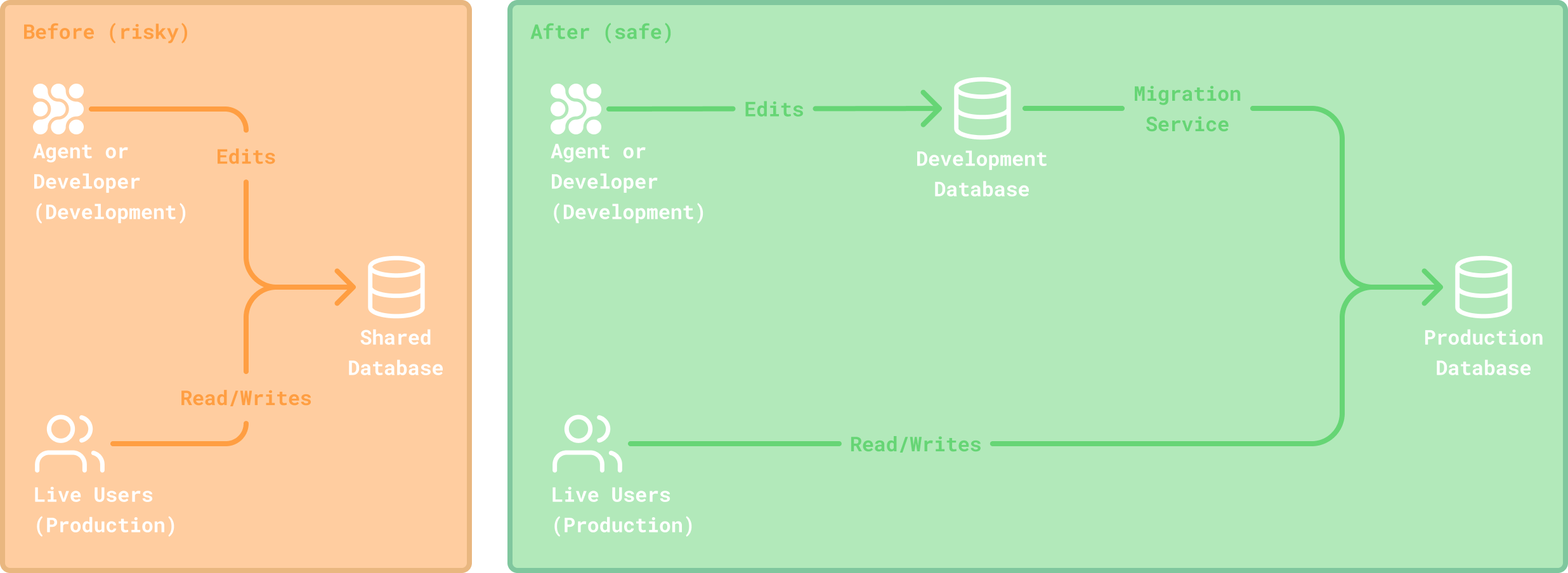
The question was how would we achieve this while preserving the ease of use and understandability of our singleton database experience, especially given the added complexities of needing to automate database introspection and migration generation for schema synchronization between environments.
How
Apart from maintaining as much of the ease of use and understandability of our singleton database experience as possible, there were some other requirements we outlined:
- Database migrations must be automated and require as little user intervention as possible.
- The solution has to be language agnostic since Replit supports many code languages.
- Users must be able to test and validate database changes before promoting them to production.
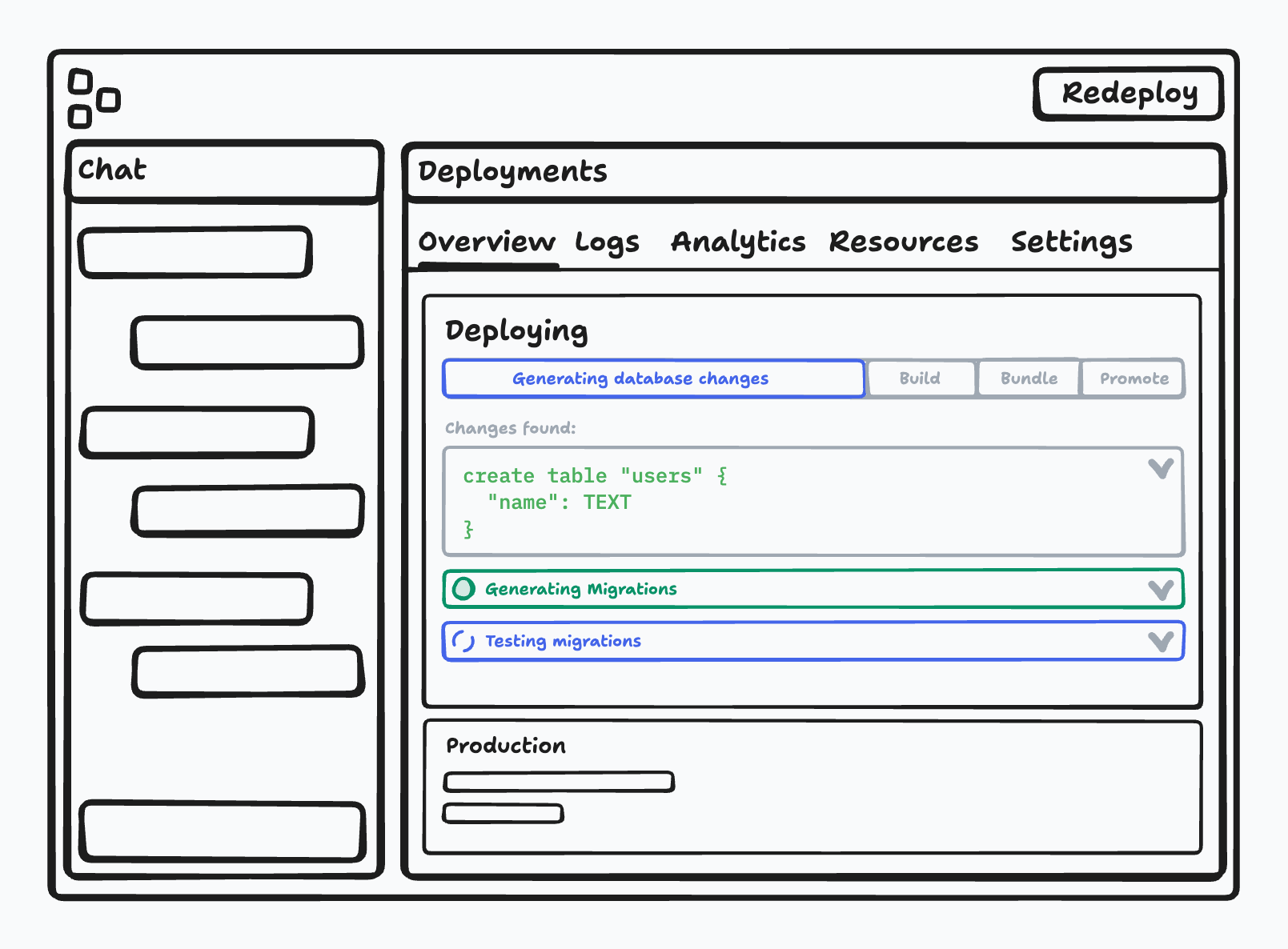
Initially we explored using AI to automate database migrations by comparing the schema diff between databases. However, our experience with models indicated that a more deterministic approach might be preferable in this instance, especially considering the potential impact of faulty migrations on user production data. Therefore, we began investigating more tried and tested methods for generating migrations deterministically, eventually settling on Drizzle’s drizzle-kit CLI package.
Because it was a CLI package, we couldn't adopt it directly, however it had robust internal capabilities for introspecting databases and generating diff-based migrations, which with help from the Drizzle team, we were able to expose via a forked repo. We then integrated these capabilities into a larger migration service that could called from our internal container process, allowing it to run within any Replit app.
Now that we’d decided on how to generate migrations, we had to determine when to do so. We’d previously deliberated on creating database migrations incrementally during development for every agent edit that required a database change. However, given the sensitive nature of migrations, and the somewhat unpredictability of the development environment, where the agent has near full control, we opted for a clean break. Instead deciding to generate a diff between the development and productions database schemas at time of deploy. And then, using that diff, generate an array of migration statements to be applied to the production database during the deployment process.
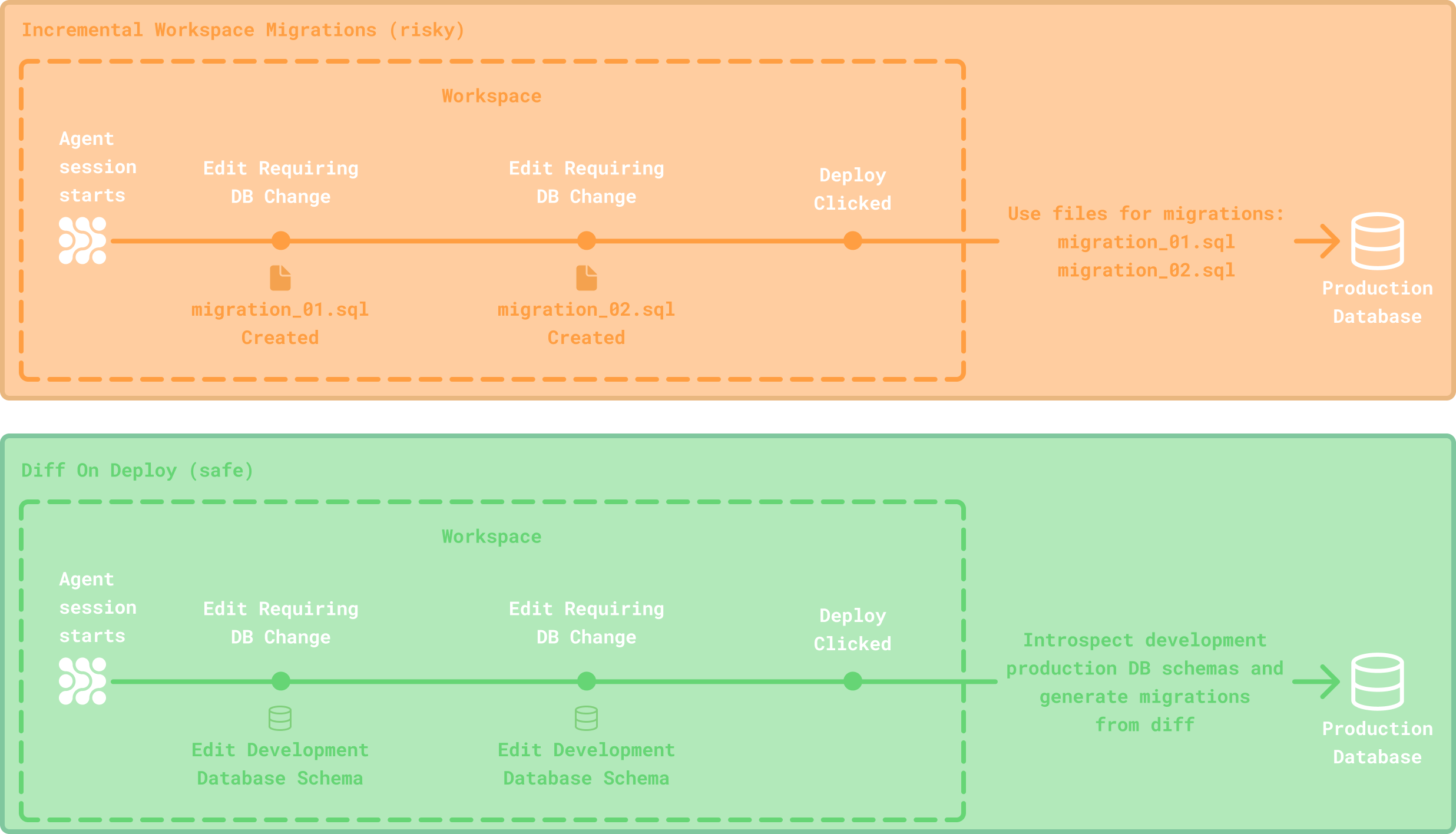
This way, the agent could make any changes it wanted to in development (using whichever tool it wanted to) without concern, since we would just capture the diff when the user was ready to deploy. Additionally we could also directly introspect both databases instead of using a schema file, keeping the solution more language-agnostic.
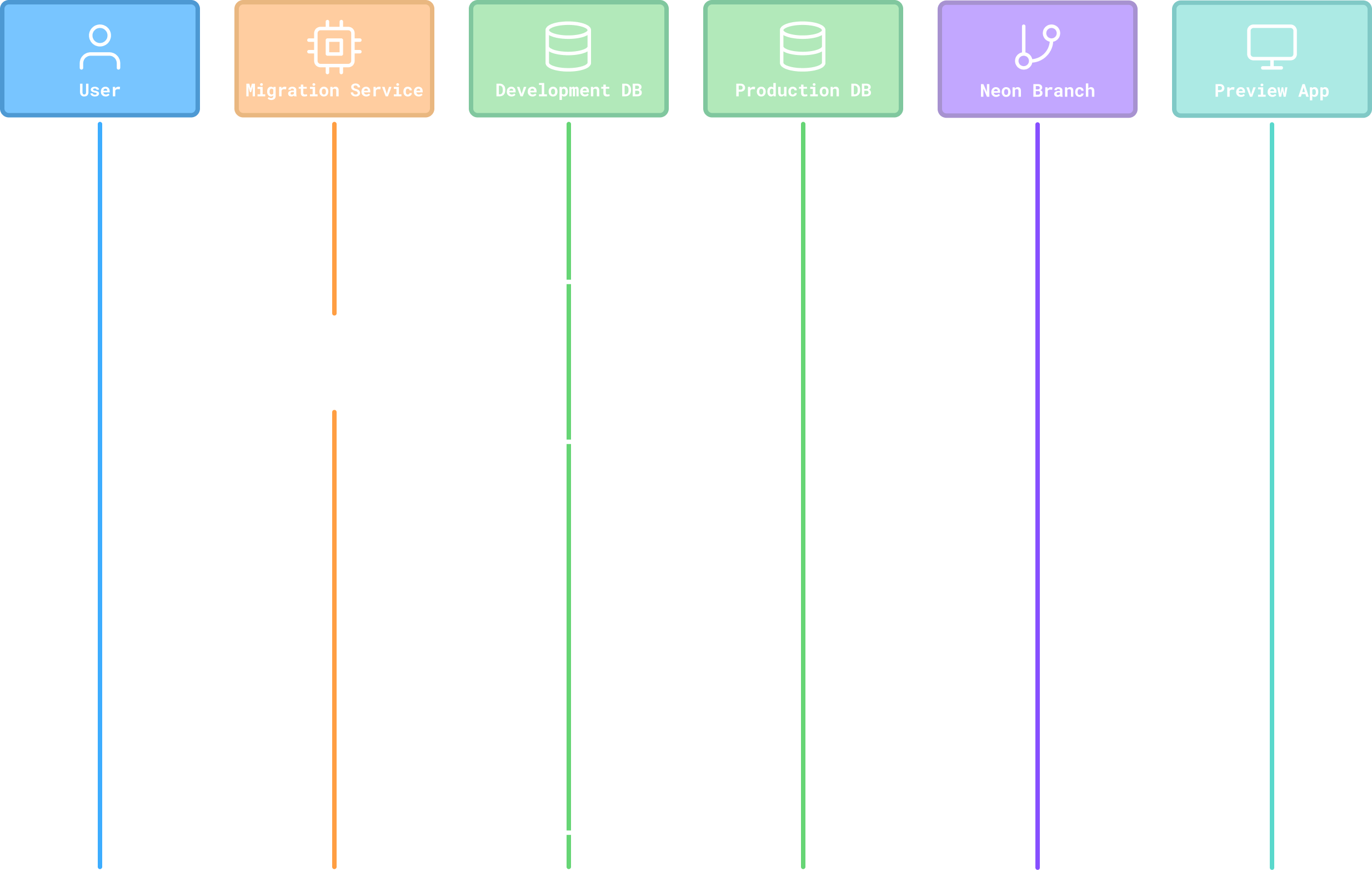
Finally, we wanted to enable users to test and verify the generated migration statements before promoting them to production. Fortunately, since we used Neon for production databases, we could leverage their database branching functionality to quickly create a temporary copy of production and then apply the migration statements to test. During which, if any conflicts arose, we’d ask the user questions in order to resolve them or warn them if any changes were deemed potentially destructive.
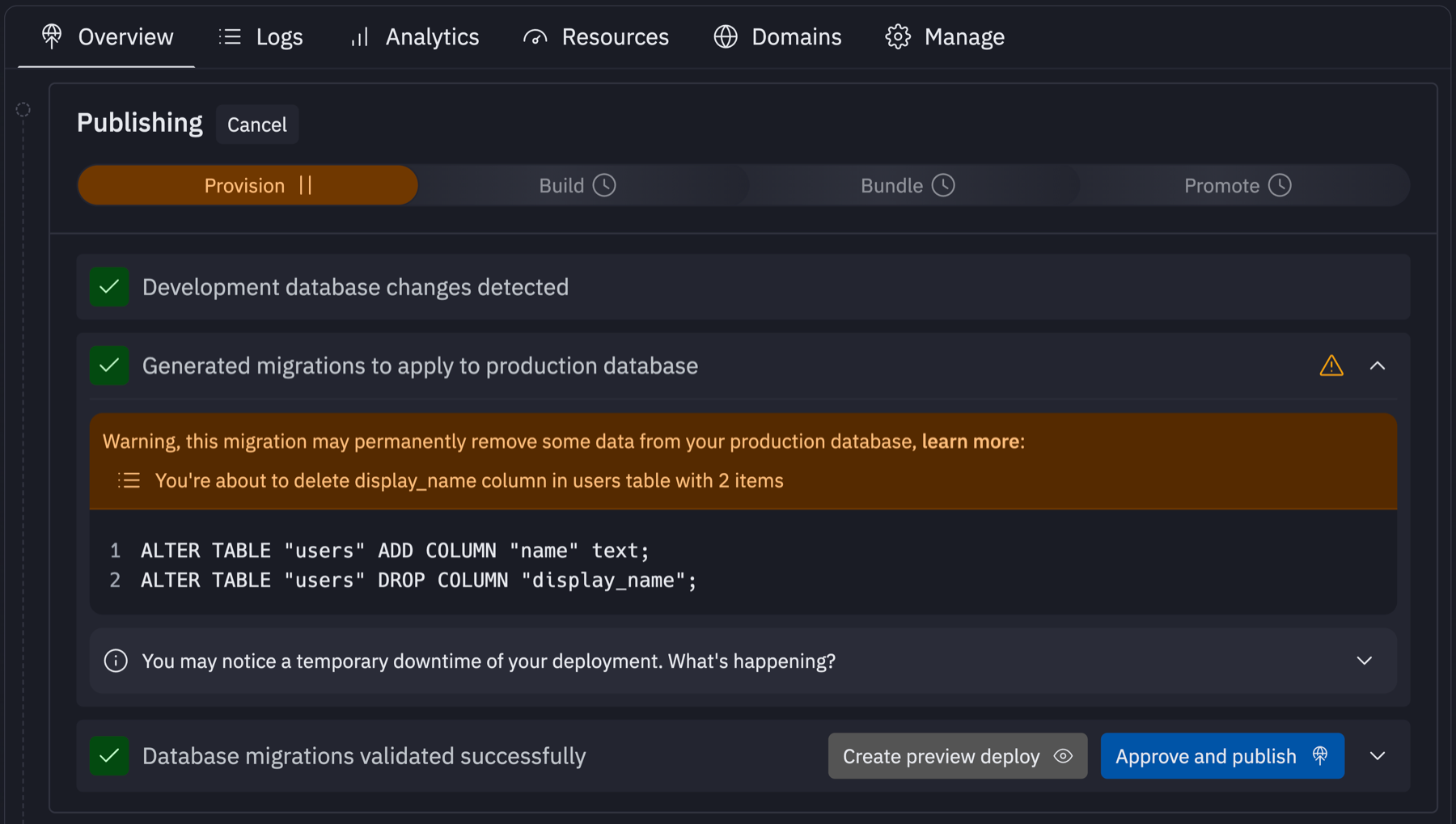
Additionally, we also leaned on our container management experience to spin up a temporary preview deployment, connected to the production database branch with the applied migration statements, allowing the user to fully test their app before approving it.
Next steps
We achieved the initial goals we set for this project, successfully integrating it into a crucial user journey with minimal disruptions while ensuring ease of use. However, we are always striving to make things easier and more understandable for our users. There are instances when complex migration conflicts arise, that necessitate a more dedicated agentic debugging process, and we’re actively working on bringing this plus other improvements soon.