
This is part 3 of a 6-part series we’re running about how product managers are using AI tools and vibe coding. Written by and for product managers.
Summary
- The design handoff bottleneck costs PMs days per feature, adding weeks of lag to product development cycles each quarter.
- Two types of design work exist — exploratory direction-setting and production refinement — and PMs are already equipped to own the first.
- A 90-minute vibe coding design sprint helps PMs generate, compare, and converge on a direction before involving the design team.
- Replit's Infinite Canvas lets builders generate and compare multiple designs side by side, directly within the app's context.
- Changes made in Canvas are one click away from production, eliminating the gap between mockup and final build.
- Design sprints accelerate exploration, but designers remain key partners for accessibility review, brand alignment, and production-quality polish.
Introduction
You know what the feature should feel like; you've described it three different ways in three different Slack threads. But until you get that mockup back from design, you’re stuck.
Sound familiar?
This is a real bottleneck in the typical PM workflow. It’s not that designers are slow, or shouldn’t be involved in the process at all. It’s that PMs should be trying to eliminate any dependencies involved in exploratory work so we can find clarity and direction faster.
The hidden cost of the design handoff
Here is how the story usually goes when it comes to getting your mockups made by the design team:
PM writes a brief. Designer interprets it and creates a mockup. PM reviews it and requests revisions. Designer updates the file. Redlines are created for engineering. Engineering builds it.
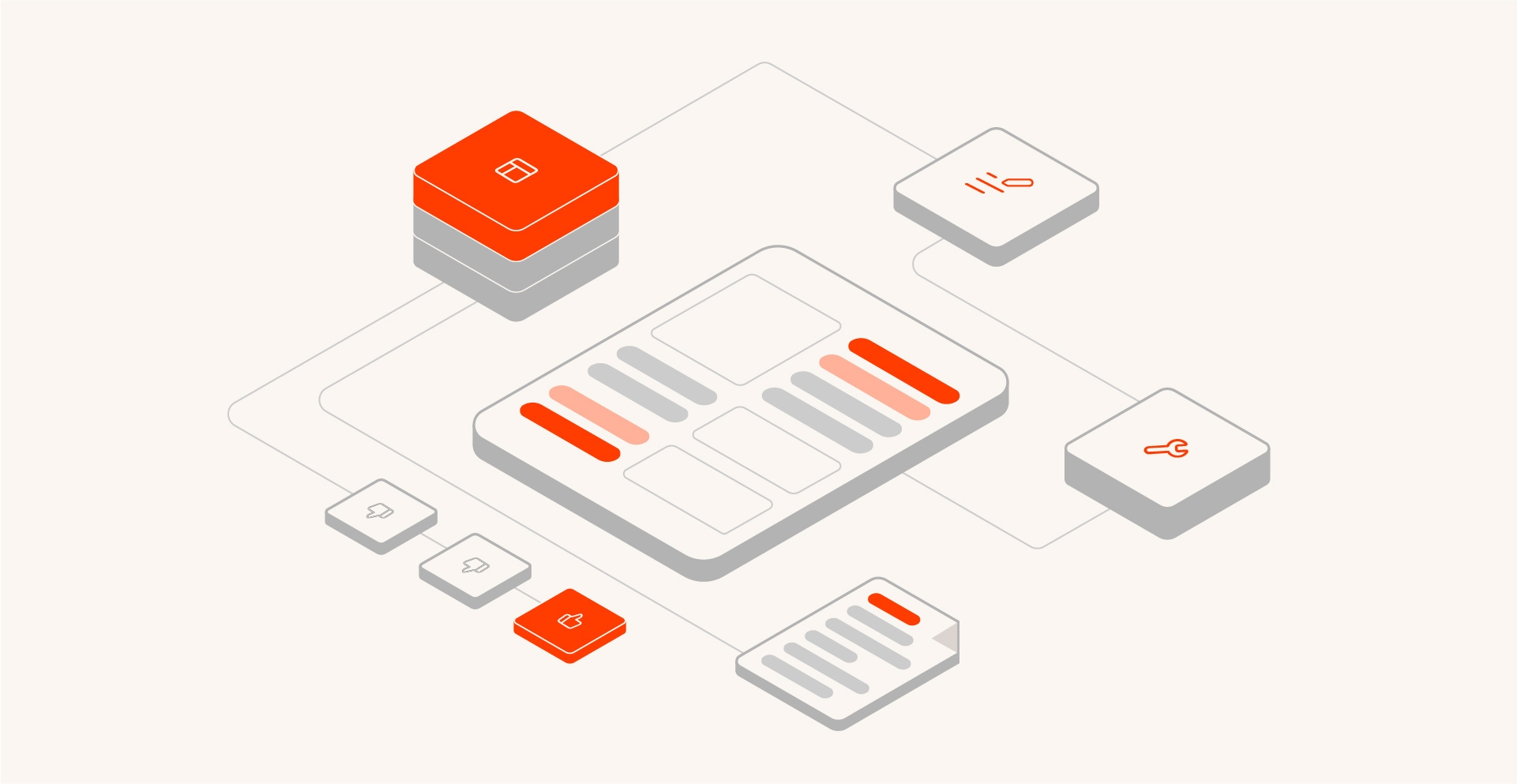
Slow, repetitive, confusing, and costly. Four of the worst words in product. We can do better!
Time and fidelity get lost in three places:
- The brief-to-mockup translation. What you described isn't what you meant. What you meant isn't what got designed.
- The revision cycle. Each round trip adds days, or even weeks if your design team is slammed.
- The design-to-code gap. The mockup showed one thing. The build does something slightly different. Nobody catches it until QA.
There exists a mismatch between how fast PMs want (and need) to explore, and how existing design flows are built to operate. One is about quick bets and iteration. The other is about precision and perfection.
Do the math: every round trip adds two to three days. Multiply that by the number of features you're exploring each quarter. That's weeks of lag built into your product development cycle.
What design iteration actually needs to accomplish
There are two kinds of design work:
Exploratory: What should this feel like? What's the right interaction model? Does this layout actually work?
Refinement: Get this pixel-perfect for production. Make sure it's accessible. Align it with brand standards.
Here's the thing: PMs are already well-equipped for the exploratory phase. You understand the user's goals. You know the business constraints. You can make directional decisions about what feels right, backed by the hours of discovery you’ve already done.
Designers should be focused on the refinement stage, where the pixel peeping makes sense. We don’t want to bog them down creating a beautiful new card component mockup just to completely change it before we start building.
This handoff is the most dangerous during the exploration phase. Everything is in flux, nothing is for sure, and things are likely to change. We can mitigate this risk by only calling on design when we at least know what we are going to build.
Running a design sprint with vibe coding
Here’s a lightweight framework any PM can use to run a 90 minute design sprint where you will generate, compare, and converge on a direction:
Phase 1: Generate options.
Describe the flow in actions - “when a user clicks this, do this”.
Don't overthink it. Just get options on the screen.
Phase 2: Compare on a shared Canvas.
View the options side by side. Let the agent know what’s working and what isn't. This one feels cluttered. This one buries the CTA. This one is close, but the hierarchy is off.
Phase 3: Refine the strongest option.
Make targeted adjustments. Layout tweaks. Different states. Edge cases. This is where the magic happens and we turn our simple user flows into those special UX moments that wow our users.
Phase 4: Share for input.
Get lightweight feedback from a designer or stakeholder before committing. You’re trying to get validation on your direction, not check if this is ready for production.
The core of this sprint session is to make directional decisions, not final design mockups. Use this to accelerate your exploratory phase so the designers can put their expertise to use when it matters most - in production.
What to hand off (and what not to)
Discovery is the name of the game for product teams. In this new paradigm, you should own exploration front to back and hand off a direction to your design team.
What to give your designer: A working prototype with clear notes on intent; not just what it looks like, but why it looks like that. What problems does it solve? What are you still unsure about?
What not to do: Proudly declare the vibe coded version "done" and try to skip design review entirely. That’s no way to make friends, and even worse, could leave your product feeling disjointed.
We want our designers to start off with a functional, interactive base instead of text briefing. If we can do this, we can get more out of our time with design, instead of trying to translate what the “more wow factor” line means in your brief, we can skip straight to “how do we take this even further?”
Pro tip: document your design decisions and the reasoning behind them during the sprint- not after. Future you will thank you.
How Replit Agent's canvas changes this workflow
Replit’s Infinite Canvas is a true playground for exploration. With just a few sentences, you can generate and compare multiple designs side by side. The best part? You can do all of this directly in the app’s context. You never have to switch to a separate workflow to “go design.” It all happens in Replit.
Caption: Matt Palmer of Replit Developer Relations demonstrates Agent 4’s new Infinite Canvas.
The tools available in Canvas give you ultra-fine control over iterations and revisions. Interact with generated output and tweak it with ease, allowing you to target and iterate on the specifics of your designs. You have enough fidelity at your disposal to get the direction out of your brain and onto the screen, no matter how specific.
Now for the feather in the cap: changes you make in Canvas are just a click away from being in production. Gone is the gap between what it looked like in the design mockup and what actually got built.
For PMs, this is as close as it gets to having a personal designer that works at the speed of your thought.
When to bring designers back in
To be clear, design sprints with vibe coding accelerate exploration. It’s not a bypass to the full design process.
You know it's time to loop in design when you've converged on a direction and need production-quality polish. Accessibility review. Brand alignment. Pixel perfection. The details that turn a good concept into an experience that delights your users.
Designers should be your partners in refinement, not gatekeepers to your exploration process.
In a perfect world, PMs and designers spend more time on the hard creative problems together, not blocking one another with design queues and vague briefs. With Replit, you can live in that world any time.
Your next design sprint starts here
Every day you wait on a mockup is a day your exploration slows down. With Replit Agent, you can go from brief to working prototype in a single session; no design queue, no back-and-forth, no delay. Request a demo and see how fast your ideas can move when the tools keep up with your thinking.
About the author
Nick Mazzotta is a Toronto-based Product Manager currently building payment acceptance solutions at Sokin. His experience spans fintech, e-commerce, and traditional finance. He is passionate about creating intuitive products that solve real problems. You can get in touch with Nick at nickmazzotta.ca.