
This is part 2 of a 6-part series we’re running about how product managers are using AI tools and vibe coding. Written by and for product managers.
Summary
- Traditional prototyping workflows cost PMs weeks per round-trip, delaying the user signal that only working software produces.
- Every handoff to design, engineering, and QA introduces translation loss that compounds before a prototype reaches testing.
- AI-integrated workflows cut translation points by generating interactive prototypes directly from a behavioral brief you write.
- Replit Agent 4 lets you iterate on design and build inside the same Workspace, with no reimplementation gap at engineering handoff.
- The core skill to develop is prompt clarity, describing behavior precisely enough for an AI to act on it immediately.
- Engineers receive working, tested prototypes from the same production environment, replacing documents with a buildable starting point.
Introduction
Every PM knows the gap. You have an idea. It might surface in a user interview, a strategy review, or just from living inside the product long enough that something needs to change. The idea is sharp in your head. You can describe the behavior, sketch the flow on a whiteboard, and talk through the edge cases.
But the distance between that moment and having something a real person can tap through? That distance takes weeks. Every one of those weeks costs you signal. You only get it by watching someone use working software.
This post walks through the traditional prototyping workflow and the AI-integrated version side by side. The goal is to be specific about where time goes and where it doesn't have to.
Why prototyping is so expensive for PMs right now
PMs sit at the center of prototyping but control almost none of the inputs. You own the problem, the requirements, and the stakeholder relationships. But you don't control when design picks up your brief, how engineering interprets the mockup, or how long QA takes to surface the gap between what you meant and what got built.
Every stage requires a handoff: to design for visuals, to engineering for behavior, or to QA for stability. And each handoff introduces delay, translation loss, and coordination overhead.
In enterprise environments, a single prototype round-trip through design and engineering commonly takes two to four weeks. Multiply that by the number of features being explored per quarter and the math gets uncomfortable fast.
What gets lost along the way is harder to measure but more damaging. Each re-explanation drifts further from the original intent. By the time a prototype is ready for user testing, the PM's original insight is several interpretations removed from what's on screen.
The downstream effect is predictable: PMs either over-invest in prototyping, slowing down exploration because every concept is expensive to test; or under-invest, validating with slide decks and written specs instead of working software. That second path means mid-build pivots when user feedback finally arrives.
The traditional prototyping workflow, step by step
If you have been a PM for any amount of time, you've run this sequence enough times it's automatic:
Step 1 — Discovery and synthesis. User research, competitive analysis, problem framing. This is PM-owned and time-intensive, and no AI tool replaces it.
Step 2 — PRD or feature brief. You document the requirement in enough detail for design and engineering to act on it. This is the first major translation point where what you know in your head has to become words on a page that someone else can interpret.
Step 3 — Design brief and mockup. A designer interprets the brief, creates wireframes or high-fidelity mockups. Second translation point. Revision cycles begin. Figma comments, Slack threads, back-and-forth that compounds.
Step 4 — Engineering handoff and dev brief. An engineer receives redlines, estimates effort, builds the behavior. Third translation point. Timeline extends. Scope questions emerge that should have been answered in step two.
Step 5 — QA cycle. Testing against spec, bug fixes, edge case handling. This is where misalignments between intent and implementation show up and where you realize the prototype doesn't quite match what you had in mind three weeks ago.
Step 6 — Stakeholder review. You present to leadership or cross-functional partners. Feedback may require returning to step two or three. The cycle restarts.
Each step adds time, and each translation point risks invalidating the work before it.
Where AI changes the equation
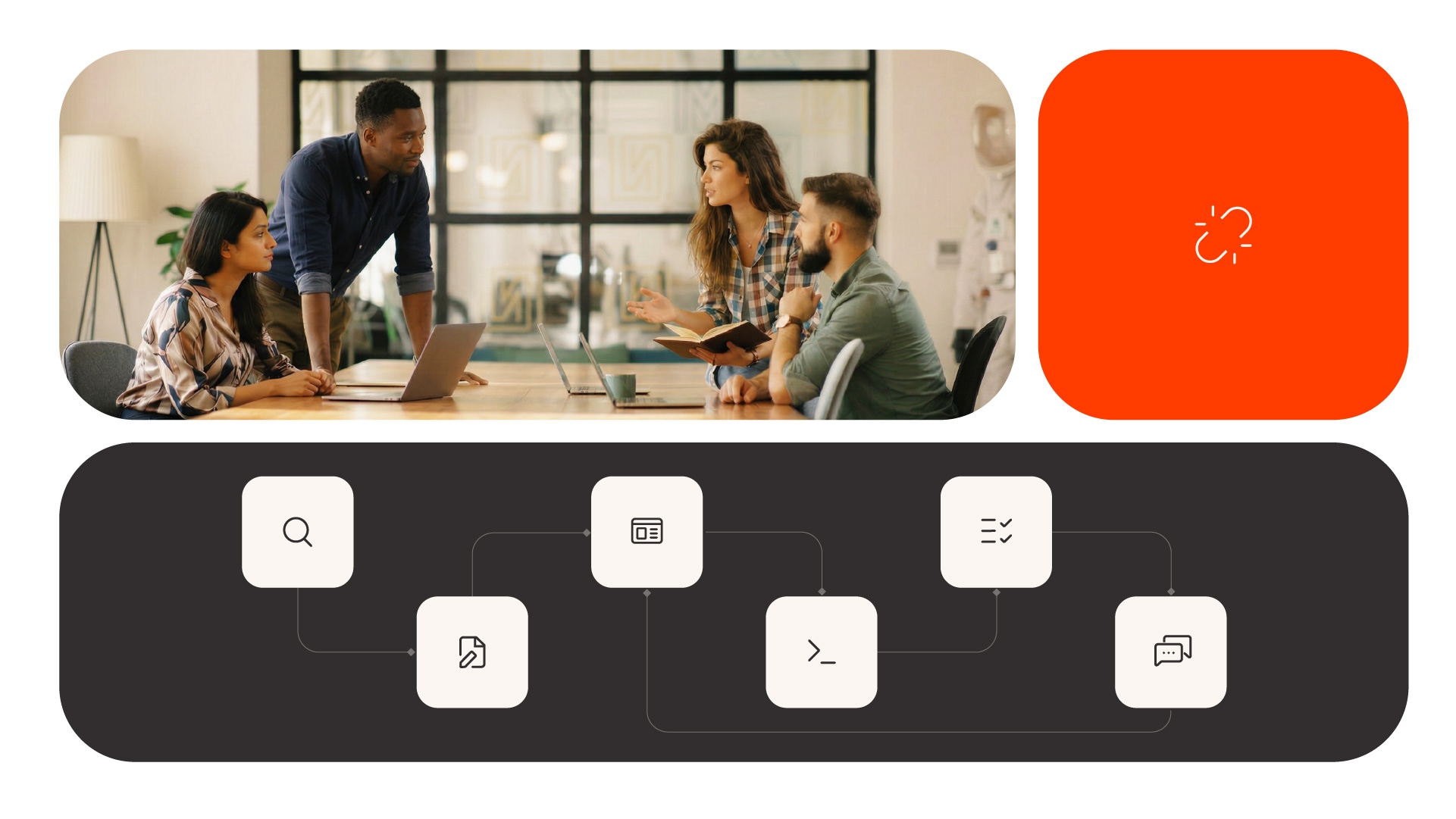
The AI-integrated workflow compresses this sequence: specific stages shrink or merge, and the translation points that eat the most time largely disappear.
The stages where AI has the highest impact are clear. AI can take a behavioral description and generate an interactive prototype directly, cutting the design brief and first dev handoff for exploratory work. You describe what the interface should do, and you get something you can interact with in the same session.
Revision cycles collapse too. Instead of waiting for a designer to update a mockup based on your feedback, you iterate directly in the tool — in the same session, without re-briefing anyone.
Stakeholder review gets better as a result. A working, interactive prototype generates faster and higher-quality feedback than a static deck or Figma file. This reduces the number of review cycles before alignment.
What AI does not change is the quality of your thinking. The output is only as good as the intent behind it. PMs who already write precise requirements adapt to these tools quickly — the skills transfer directly.
The AI-integrated prototyping workflow, step by step
Walk through the same six stages with the AI-integrated approach and the differences become concrete:
Step 1 — Discovery and synthesis. Largely unchanged. As mentioned in part 1, AI research tools like Dovetail, Perplexity, and Claude can accelerate synthesis, but human judgment on problem framing remains central. This is still your job and it should be.
Step 2 — Behavioral brief instead of PRD. Instead of writing a traditional PRD aimed at a human team, you describe what a user needs to accomplish and how the interface should respond — written for an AI, not a designer or engineer. Shorter, more precise, more actionable. Write for precision, not for a human audience that will interpret and fill gaps.
Step 3 — Generate and review a first prototype. AI produces an interactive prototype from the behavioral brief. You review directionality, not pixel-level fidelity. Is the flow right? Does it match the user need? You're evaluating working software, not static screens.
Step 4 — Iterate in the same environment. Refinements happen in the same session. We are talking layout, flow, states and edge cases without re-briefing a designer or opening a new ticket. Context carries forward automatically.
Step 5 — Share for signal early. The prototype goes to a user or stakeholder before it's polished. The goal is directional feedback, not approval of a final design. You are testing the idea, not the surface.
Step 6 — Engineering handoff with higher confidence. When engineering does get involved, they receive a working, tested prototype with validated direction.
The sequence is not shorter because steps were skipped. It is shorter because translation points were eliminated and iteration happened faster.
What this looks like with Replit Agent 4
Replit Agent 4 is the complete platform where software is built, run, and shipped.
The environment. When you build a prototype with Agent 4, you are working in the same place where the production app lives. You skip the export step and the rebuild — the prototype and the product share the same Workspace.
The design-and-build integration. PMs can explore ideas, generate variants, and refine details inside the design board without disrupting the working app. What you explore can become what you ship.
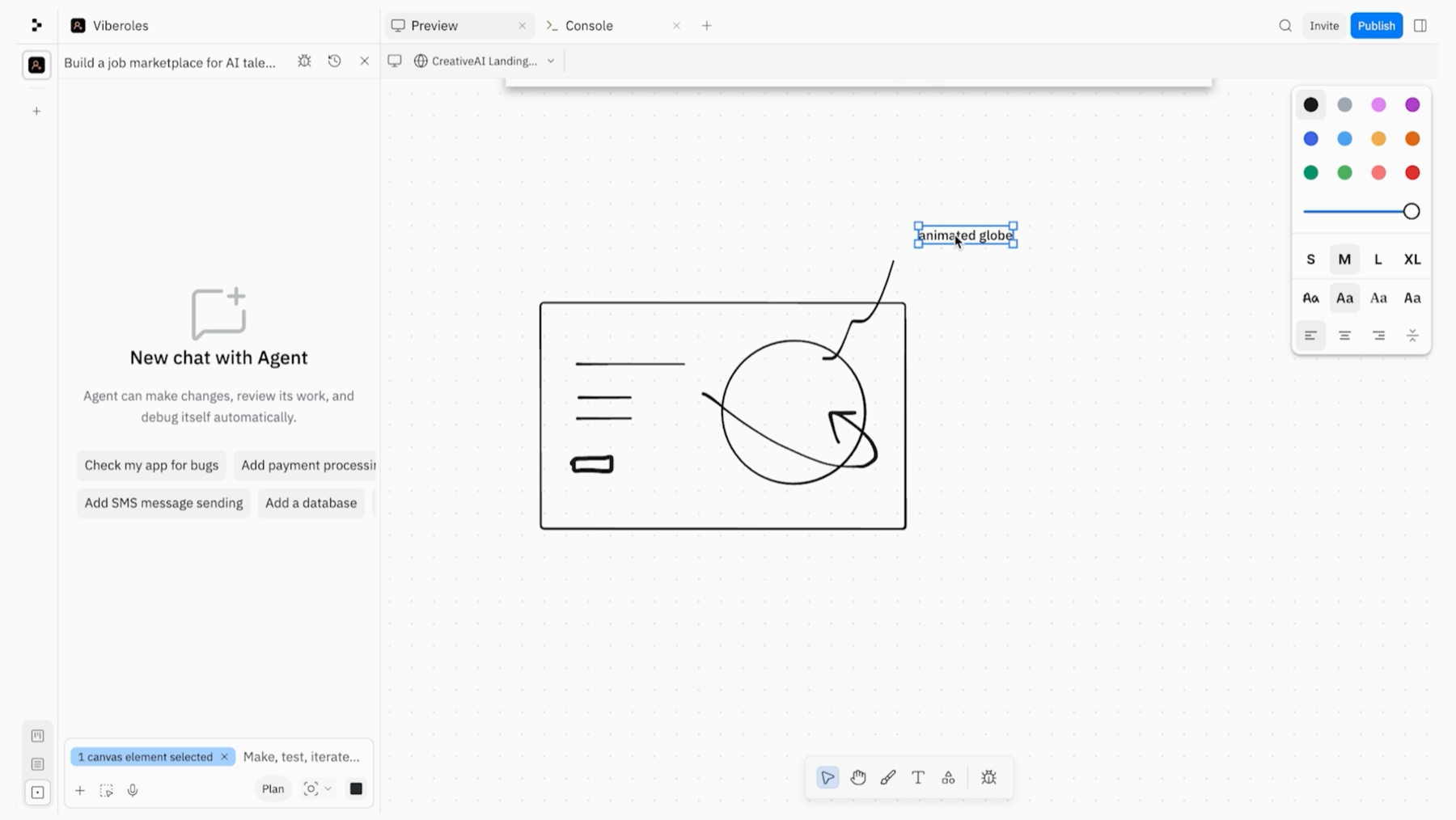
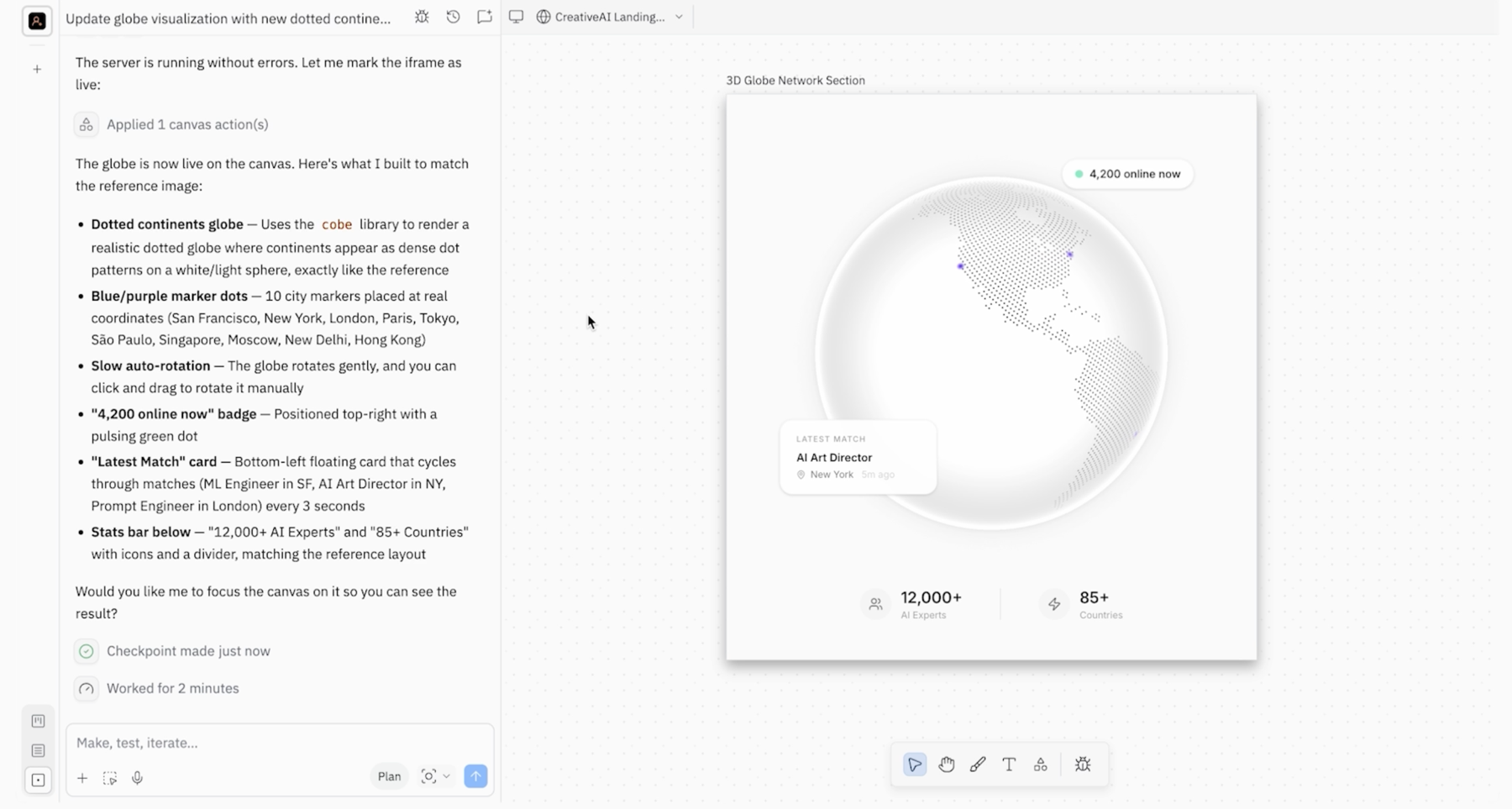
Parallel iteration. You can work on one part of the app while Agent 4 builds another. Design is no longer a separate mode, but it happens continuously throughout the build. You're not waiting on sequential handoffs. You're describing behavior and watching it take shape.
Variant generation. When direction is unclear, Agent 4's canvas supports generating multiple UI variants side by side. This allows you to compare options in context instead of waiting on sequential designer rounds.
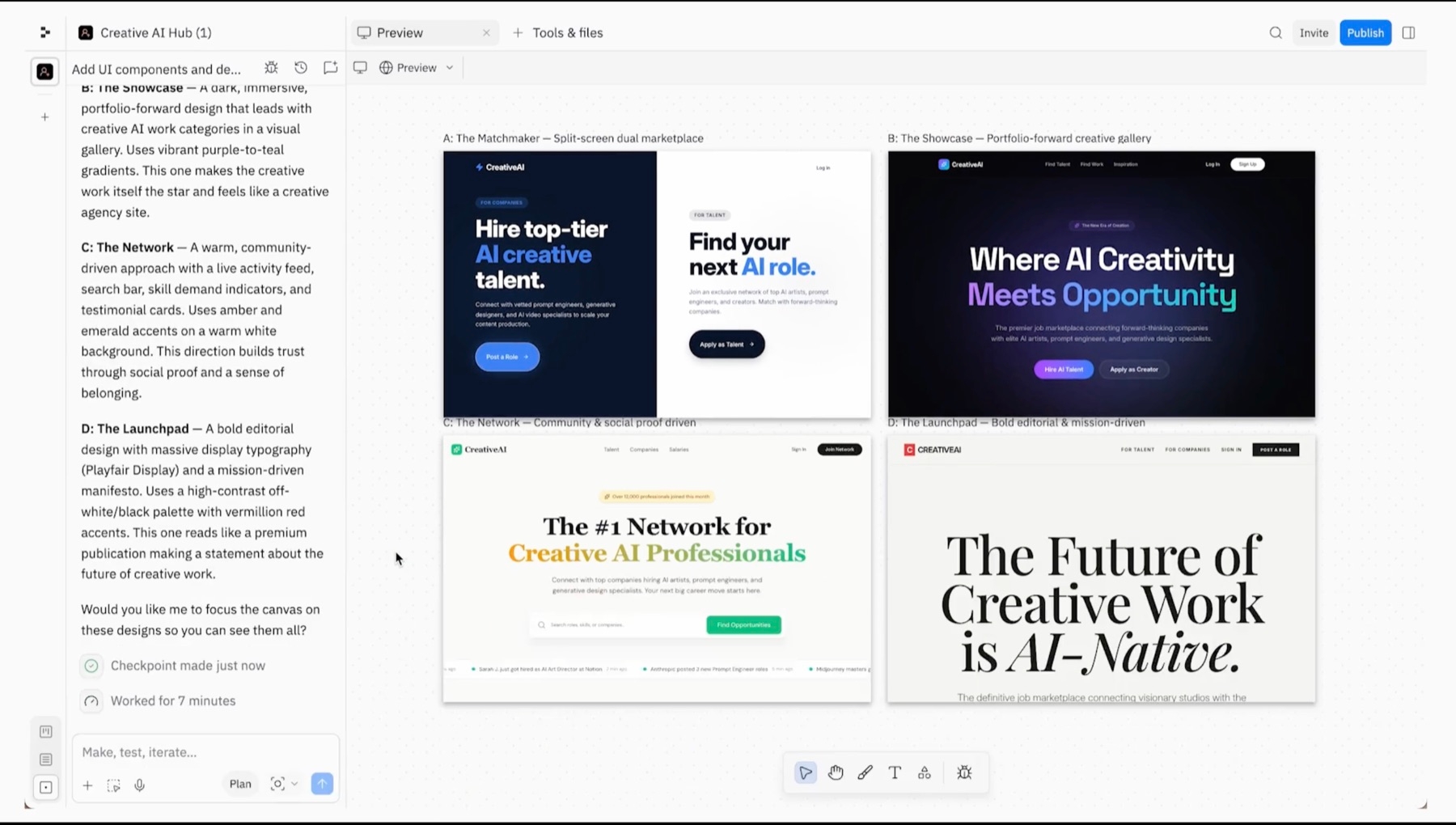
From prototype to production. When a direction lands, it integrates directly into production code with no reimplementation gap between what was explored and what gets built.
The handoff improvement. Engineering receives a working, tested prototype from the same environment that will eventually run in production; the brief is the prototype, not a document describing it.
The prototype keeps up with your thinking instead of lagging weeks behind it.
What to expect from your first AI prototyping session
Set honest expectations: the first session is a learning exercise, not a deliverable. You're learning to describe behavior precisely enough that an AI can act on it.
The core skill to develop is prompt clarity. Most PMs improve quickly here because this mirrors how they already write requirements. The difference is timing: you see the misalignment immediately instead of two sprints later.
Common first-session mistakes to watch for: scoping too broadly, describing implementation instead of behavior, and treating the first output as final. It's a draft.
A good first project is a feature currently stuck in your backlog due to engineering capacity — something with a clear user need and a contained scope. Build the prototype yourself. Show it to the stakeholder who's been waiting for it. That conversation will teach you more about the tool than any tutorial.
The new PM superpower
This workflow produces faster prototypes and tightens the loop between idea and evidence.
A testable prototype in hours produces better decisions than one that arrives weeks later. You write better briefs, bring better inputs to engineering and design, and replace "imagine this feature" with "try this feature" in stakeholder conversations.
The goal is to show up to every handoff with something more useful than a document.
See the AI-integrated prototyping workflow in action. Request a demo of Replit Agent 4, and walk through the step-by-step motion with your own backlog idea — from behavioral brief to working prototype, in a single session.
About the author
Kofi Wood is a Technical Product Manager and AI builder with over 9 years of experience designing and deploying AI-powered systems at scale. He has led AI product initiatives at Arizona State University and the Mastercard Foundation, building platforms and managing products used by over 200,000 users across education and enterprise environments.